Home Blog

Can Raccoons Open Automatic Chicken Coop Doors?

0

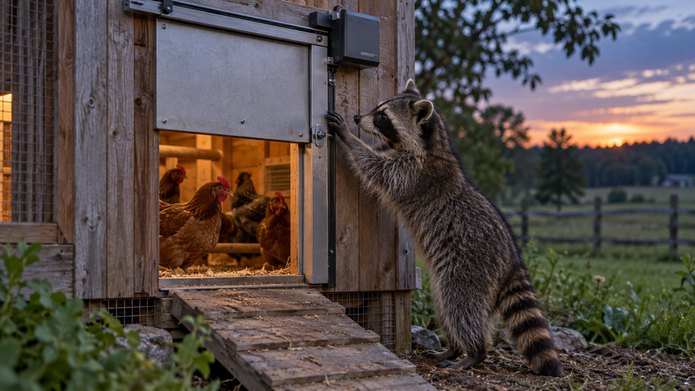
Yes, a raccoon may be able to open or defeat some automatic chicken coop doors and installations. “Automatic” is not the deciding factor. What matters is whether the closed panel can be lifted, pushed, or pried; whether a lock or drive positively holds it closed; whether the door reaches its fully closed position; and whether there are gaps or weaker entry points elsewhere in the coop.

A well-fitted door with a securely retained panel can be a useful part of nighttime protection. It still does not make the whole coop immune to predators. Power problems, debris, ice, installation movement, a bird left outside, or a weak vent or human door can bypass an otherwise strong automatic door.

This article is based on wildlife guidance and current manufacturer documentation. Coop Automation Lab has not attack-tested these doors, and product security statements below are identified as manufacturer claims rather than independent proof.

Why raccoons are a realistic door-security concern

This concern is not based only on raccoons being strong or persistent. Their ability to manipulate objects matters.

The Washington Department of Fish and Wildlife says raccoons have five dexterous toes on each front foot, allowing them to grasp and manipulate objects. Its guidance warns that raccoons can open various fasteners, latches, and containers. The Internet Center for Wildlife Damage Management likewise describes raccoons as dexterous, capable climbers and able to lift loose garbage-can lids.

Those are facts about raccoon behavior, but they do not mean every raccoon can solve every door. They do justify inspecting a coop from the perspective of an animal that can climb, pull, lift, reach, and repeatedly work at a weak point.

Wildlife guidance also looks beyond the pop door. WDFW recommends well-fitted poultry-house doors with secure locking mechanisms and securely connected pen seams. Extension poultry guidance warns about reach-through attacks and recommends a secure, covered enclosure. In practical terms, the automatic door is only one section of the coop's nighttime boundary.

Four ways an automatic coop-door setup can be defeated

Most concerns fit into four failure paths: the panel can be manipulated, the door fails to close completely, the installation is weaker than the door, or the raccoon enters another way.

1. Lifting, pushing, pulling, or prying the panel

A vertical sliding door is not automatically insecure. The important question is what prevents the panel from moving upward after it closes.

Some opener kits raise a panel with a string or cable and rely mainly on gravity to lower it. If that panel has no separate latch, anti-lift stop, or drive that remains engaged, the lifting line itself is not a positive lock. Mechanically, an exposed lower edge may offer more opportunity for lifting than a panel held by an engaged drive. That is an inference from how the mechanisms work—not evidence that a raccoon defeated every string-lift door.

A swing door avoids the simple lift-the-slider scenario, but it has other possible purchase points. Security depends on how its free edge is retained, whether the hinges and brackets are protected, how rigidly the frame is mounted, and whether the panel seats fully. Door orientation alone does not settle the question.

Prying is also different from lifting. A drive may resist reverse movement while the surrounding trim, siding, track, or lower edge flexes. A gap large enough for claws to gain purchase can shift the attack from the motor to the installation.

2. The door stops before it is fully closed

The best closed-state mechanism cannot help if the panel never reaches that state.

Official automatic-door documentation identifies several real causes of incomplete movement. ADOR support material discusses debris at the threshold, panel friction, warped or twisted frames, shallow sprocket engagement, loose parts, low battery, and motor or gear faults. The Pullet-Shut manual documents low-voltage behavior, pivot corrosion, damaged wiring, motor faults, and power-reset behavior for that model.

This distinction matters: a controller can receive a close command without the opening becoming securely closed. A status light or powered display also does not necessarily prove that the battery has enough reserve to move the door under load. ADOR specifically notes that a battery may power electronics while lacking enough power for the motor.

Obstruction features have limits too. Omlet says its Autodoor safety sensors stop closure when something is in the way. That is a manufacturer claim about an important bird-safety feature. It is reasonable to infer that a door stopped by an obstruction may remain open, but the sensor is not itself a security lock or proof of final closure.

Common closure hazards include:

  • bedding, feathers, dirt, manure, mud, or a foreign object at the threshold;
  • ice or frozen runoff around a panel, track, or pivot;
  • a frame or timber wall that has shifted, swollen, twisted, or loosened;
  • a depleted battery, weak solar reserve, power interruption, or damaged wiring;
  • a slipping drive component, binding panel, corroded pivot, or failing motor; and
  • incorrect timer, light-sensor, calibration, or operating-mode settings.

If cold-weather obstruction is a recurring concern, our guide to automatic chicken coop doors for cold weather explains the winter-specific tradeoffs in more detail.

3. The installation creates an easier weak point

A solid panel mounted to a flexible or badly fitted wall is still a weak installation. Look at the complete assembly: door, tracks or hinges, frame, siding, fasteners, threshold, trim, and the opening cut into the coop.

Wildlife guidance supports using well-fitted, securely fastened openings. Applying that guidance to an automatic door, it is reasonable to inspect for exposed edges, movable trim, loose fasteners, flexible mesh or siding, and gaps around the frame. This is mechanical inference, not a universal construction specification. The correct fasteners, clearances, and mounting method depend on the product and wall, so follow the current manual.

Installation can also create operating faults. ADOR's support documentation says mounting can twist a frame and contribute to binding. A door that moved freely on the workbench may not do so after uneven screws pull the frame against a warped coop wall.

Do not add a homemade latch or guard without considering the full travel path, manual release, and obstruction behavior. A modification that blocks automatic movement or prevents emergency operation can create a different safety problem. Check with the manufacturer when the instructions do not address a proposed change.

4. The raccoon bypasses the pop door

A retained, fully closed panel protects only its opening. A raccoon may instead exploit a loose human-door latch, damaged vent, weak seam, roof gap, run connection, flexible wire, digging point, or an opening created by rot or impact.

Climbing and reach-through risks matter as well. Wildlife and Extension sources describe raccoons as skilled climbers and warn that they can reach through enclosure wire. Check branches, roofs, run covers, mesh size and condition, corners, and connections—not only the ground-level pop door.

The other bypass is a chicken that never made it inside. A strong closed door cannot protect a bird shut in the run. New, injured, bullied, or slow birds may not follow the usual schedule, so continue checking the flock rather than treating automation as an individual-bird count.

What “positive retention” means

Positive retention means something physically resists the panel's opening movement after it reaches the closed position. Depending on the design, that may be a latch, anti-lift stop, engaged sprocket, screw-type drive, geared mechanism, or another documented feature.

This is more useful than a vague security label because it asks a testable question: What prevents this door from moving in the opening direction when it is closed and the power is off?

Positive retention still has conditions:

  • The panel must reach the position where the latch, stop, or drive engages.
  • The retaining part and its brackets must remain sound.
  • The surrounding frame must not flex enough to create another route.
  • An exposed simple latch must not be easy to manipulate.
  • Debris, ice, or misalignment must not leave the mechanism partly engaged.
  • Manual-release components and controls must be protected while remaining safely accessible to the keeper.

Terms such as “self-locking,” “motor lock,” and “anti-lift” are not enough on their own. Find out what part creates the resistance, when it engages, what happens during power loss, and how the manual override works. An actuator-driven door is not necessarily retained when unpowered unless its documentation says how the exact actuator and linkage behave.

Examples of documented mechanisms—not rankings

The following examples show why mechanism details and limitations should be considered together. They are not recommendations or evidence from a common attack test.

  • ADOR1: ADOR says its positive-drive sprocket stays engaged with holes in the sliding panel and that a lower guard is intended to reduce access beneath it. Those are manufacturer claims about the design. The company's own support information also documents possible problems such as debris, frame distortion, binding, shallow engagement, a loose or slipping sprocket, low battery, and drive faults. The useful conclusion is not that the door cannot be opened; it is that both engagement and full closure need to be verified.
  • Coop Tender: The manufacturer describes a 5/8-inch steel Acme threaded screw drive and says it creates a mechanical lock. A continuously engaged screw drive should reduce easy lifting compared with an unlatched gravity-held panel, but that is a mechanical inference. No independent standardized raccoon-attack result was found, and the drive does not establish the strength of every installation.
  • Pullet-Shut: The official material describes a horizontal, outward-opening swing door. That avoids a simple upward lift of a guillotine-style panel. Its security still depends on retention at the free edge, frame and bracket strength, power, and complete seating—an inference based on the arrangement. The model's manual also documents low-battery states, pivot corrosion, reset behavior, and a recommendation for an awning where freezing rain could freeze the door shut.

These examples illustrate different approaches, not a hierarchy. There is no independent standardized test in the available research that supports ranking them by resistance to raccoon attack.

Automatic coop-door security inspection checklist

Perform this check in daylight, with the manufacturer's instructions available. Keep hands, clothing, children, pets, and birds away from a moving door. Never use a live animal or your hand to test obstruction behavior.

Check the closed door

  • Run a complete close cycle and confirm the panel reaches its intended final position.
  • Check whether the latch, stop, sprocket, screw drive, or other retaining mechanism fully engages.
  • Determine what the documentation says should prevent reverse movement when power is off. Do not force the mechanism.
  • Inspect the bottom and side edges for gaps or exposed points where claws could gain purchase.
  • Look for bent panels, cracked parts, loose brackets, worn holes, damaged guards, or unusual movement.
  • Confirm that the manual release returns to its secure operating position after use.

Check the installation

  • Press lightly on the surrounding frame and wall to identify looseness or flex; do not exceed the product's instructions.
  • Inspect mounting fasteners, hinges, tracks, trim, and threshold for movement, corrosion, damage, or pull-out.
  • Check that the frame is square and that installation pressure has not twisted or pinched it.
  • Remove bedding, dirt, feathers, mud, and other debris from the travel path using the approved cleaning method.
  • Look for water runoff, snow, or ice that could enter the track, collect at the threshold, or freeze a pivot.
  • Protect wiring and components from chewing or accidental impact according to the manual.

Check power and operation

  • Review the low-power indicator and replace or recharge the approved battery as directed.
  • Do not assume an illuminated controller proves there is enough power to move the door.
  • Verify the clock, operating mode, timer, light threshold, and any post-sunset delay.
  • Observe several full cycles from both sides after installation, adjustment, battery replacement, severe weather, or a coop-wall change.
  • Learn the documented manual procedure before an emergency and keep access to it clear.
  • Find out what the model does after an obstruction, power loss, reset, motor stall, or sensor error.

Check the whole coop

  • Inspect the human door and use a secure locking arrangement consistent with wildlife guidance.
  • Check vents, mesh, seams, corners, roof edges, floor, and wall penetrations.
  • Check the attached run, its roof or cover, and every connection to the coop.
  • Look for reach-through points and climbing access near vulnerable openings.
  • Check for digging, rot, impact damage, or gaps that have developed since the last inspection.
  • Confirm every bird is inside rather than relying only on a controller or app status.

Inspection frequency should reflect the setup and conditions. A brief physical closure check each evening is prudent, with a fuller inspection after installation, maintenance, storms, freeze-thaw weather, battery warnings, impacts, or any change in sound or travel.

A strong door still has to close at the right time

Closing too early can leave a bird outside. Closing too late leaves the opening available longer. There is no universal setting because flock behavior, season, shade, latitude, weather, and predator activity vary.

A timer gives a predictable clock time but needs seasonal review. A light sensor follows local brightness but can be affected on some products by placement, deep shade, artificial light, or nearby infrared illumination. Some controllers calculate sunset and apply an offset. None of these methods confirms that every bird crossed the threshold.

Our timer vs light sensor automatic coop door guide covers those tradeoffs. Whichever method you use, watch the flock during commissioning and after seasonal or flock changes.

What if the door is not closing completely?

If the opening is exposed after dark, deal with flock security before extended troubleshooting. Use the model's documented manual-close procedure or another sound temporary barrier. If that cannot be done safely, move the flock to a secure enclosure. Do not approach or corner a wild raccoon.

Once the birds are secure, check for an animal or object in the path, debris, ice, low power, an incorrect mode, obvious frame distortion, damaged wiring, and a model-specific error indication. Do not force a powered mechanism or improvise around damaged electrical parts.

Use our full automatic chicken coop door not closing guide for a step-by-step diagnosis, then follow the current manual for resets, calibration, parts, and support.

When to repair, reinforce, or replace

Repair or seek manufacturer support when a previously suitable door has damaged components, abnormal sound, slipping engagement, battery problems, wiring damage, recurring error states, or unreliable travel. Take the mechanism out of automatic service if its documentation calls for that, and use a dependable temporary barrier until it operates correctly.

Reinforce the surrounding installation when the door works correctly but the mounting surface, trim, threshold, or adjacent enclosure is loose or creates gaps. Use methods compatible with the product instructions. Do not obstruct the panel, sensors, manual release, or required drainage and clearances.

Consider replacement when the panel cannot be positively retained, the unit repeatedly fails to close despite proper maintenance and support, parts are unavailable, the mechanism does not suit the opening or climate, or safe manual operation is impractical. Our research-based guide to the best automatic chicken coop doors compares current options by mechanism, fit, controls, power, documentation, and support rather than promising absolute predator resistance.

If you are deciding whether the upkeep and backup planning make sense at all, read are automatic chicken coop doors worth it?. Automation can improve consistency, but it does not replace flock checks or repairs to the rest of the coop.

Frequently asked questions

Can raccoons lift sliding chicken coop doors?

They may be able to lift some sliding panels, especially if the lower edge is accessible and the closed panel relies mainly on gravity. Raccoons are documented manipulators, but the result depends on the specific panel, retained drive or latch, tracks, guard, frame, gaps, and installation. A vertical door is not automatically weak; inspect what physically prevents upward movement.

Are metal automatic chicken doors safer than wooden or plastic doors?

Material is only one factor. A rigid panel may resist bending, but it can still be undermined by a weak frame, poor fit, accessible edge, loose fasteners, or incomplete closure. Evaluate the whole installed assembly and its retaining mechanism, not the panel material alone.

Does a motor lock stop a raccoon?

“Motor lock” is not enough information. Determine whether the drive remains physically engaged, whether it resists reverse movement without power, and whether a separate latch or stop engages. Even a retained drive cannot compensate for a gap, flexible wall, damaged bracket, or door that stopped short.

Does an obstruction sensor prove the door closed?

No. Depending on the model, an obstruction feature may stop, reverse, or retry a close. It can be useful for reducing injury risk, but it does not prove that the doorway ended in a closed and retained state. Check the exact manual and physically verify closure.

Will an automatic coop door keep other predators out?

It can close one entry point consistently when it operates correctly. Different predators climb, dig, pry, chew, or exploit gaps in different ways, so the entire coop and run still need appropriate exclusion. Do not treat one automatic door as complete predator control.

How often should I confirm the door closed?

Physically checking the door and flock each evening is the cautious approach. Also perform a fuller inspection after installation, repairs, severe weather, freeze-thaw cycles, low-power warnings, impacts, coop clean-outs, or changes in movement or sound. Follow any more specific schedule in the manual.

What should I do if the door is open after dark?

Secure the birds and opening first using the documented manual procedure or another sound temporary barrier. Avoid confronting wildlife. After the immediate risk is controlled, inspect power, obstructions, settings, alignment, damage, and error indicators, then use the manufacturer's troubleshooting process.

Bottom line

Raccoons can potentially open or defeat some automatic chicken coop doors, but automatic operation is not the deciding factor. The important details are positive closed-state retention, minimal claw or pry access, complete closure, rigid installation, dependable power, suitable timing, and a secure whole-coop envelope.

Verify the physical result rather than trusting a label or close command. Keep the travel path clear, know the failure and manual-override behavior of the exact model, inspect every other opening, and confirm that the flock is inside. The safest way to think about an automatic door is as one maintained layer—not the entire predator-security plan.
Are Automatic Chicken Coop Doors Worth It? Pros, Cons, and Who Should Buy One

0
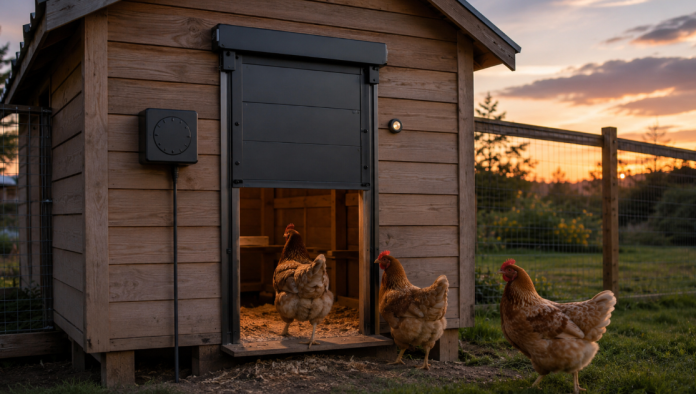
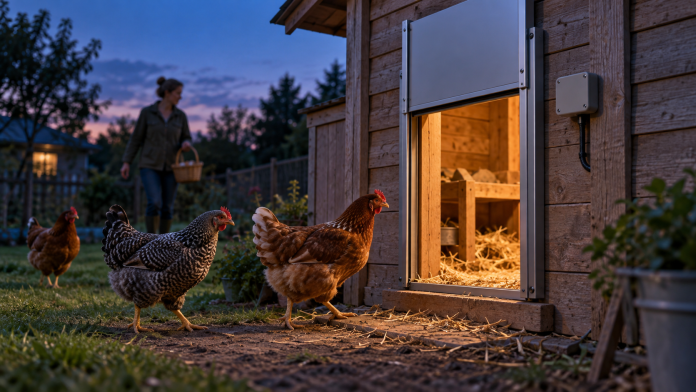
Automatic chicken coop door at dusk as hens return to the coop

Are automatic chicken coop doors worth it? Usually, yes—when opening and closing the coop at dawn and dusk is a real burden, the birds already roost reliably, and the door can be installed in a suitable, secure coop. Automating that repetitive job can make early mornings, late work shifts, seasonal daylight changes, and occasional schedule disruptions easier to manage.

But an automatic door does not automate chicken care. It cannot confirm that every bird is inside, repair a weak coop, clear ice or bedding, or guarantee that a closing cycle succeeds. You still need flock checks, maintenance, and a plan for low power, obstruction, bad weather, or a failed closure. Its value depends less on having the most features and more on whether the door fits your routine, coop, environment, and willingness to monitor it.

What an automatic chicken coop door actually does

An automatic coop door opens and closes the flock's pop-hole according to a control method such as a fixed timer, measured daylight, calculated sunrise and sunset, or app-configured rules. Some products are complete doors. Others are openers or kits designed to move a compatible existing door.

The practical benefit is narrow but meaningful: the keeper does not have to be physically present for every routine opening and closing. That can improve consistency and reduce schedule pressure.

It is equally important to understand what the mechanism does not know. A typical door controller monitors settings, light, motor movement, or a reported door state—not the location and condition of each chicken. Even when an app reports “closed,” that status does not prove that every bird entered the coop.

This guide is based on current manuals, manufacturer information, and limited owner feedback available during research. Coop Automation Lab has not personally tested these products. Manufacturer performance and safety statements should be treated as claims unless independently established, and product behavior must be checked against the current manual for the exact model.

Quick decision table: likely worth it, conditional, or not yet

Swipe left to see all columns
Your situation Decision Why
Dawn or dusk regularly conflicts with work, sleep, mobility, or family commitments Likely worth it The door automates a recurring, time-sensitive burden.
Secure fixed coop, suitable opening, and an established flock that roosts predictably Likely worth it Good physical fit and consistent bird behavior reduce avoidable problems.
Travel or late returns, with a dependable person available for checks and faults Likely worth it Automation reduces routine visits while backup care covers what it cannot do.
Off-grid coop with a maintainable battery or adequate year-round solar exposure Conditional It can work well, but reserve power depends on the installation, season, battery, and load.
Frequent snow, ice, mud, bedding buildup, deep shade, or unreliable connectivity Conditional The site may require more maintenance, a different power/control choice, or better weather protection.
Chicks, new birds, injured or bullied birds, or a flock that enters inconsistently Not yet Closing time needs close supervision until bird behavior and model suitability are clear.
Weak walls, vents, mesh, latches, roof, floor, or run Not yet Automating one opening does not fix the rest of an insecure coop.
Nobody can inspect the door or respond for an extended period Not yet Power, control, mechanical, and weather-related faults still need human intervention.

The main benefits

Less pressure at dawn and dusk

The strongest reason to buy an automatic door is simple: it takes one repeated deadline off your daily schedule. That can matter during early summer sunrises, short winter afternoons, shift work, school runs, mobility limitations, or evenings when getting home before dark is difficult.

This convenience is not the same as eliminating coop visits. It means you can move the health check, feed and water check, cleaning, or egg collection to a practical time instead of tying every day to the pop-door schedule.

More consistent access times

Current doors offer combinations of timer, ambient-light, calculated sunrise/sunset, and manual controls. Correctly configured automation may be more consistent than a keeper whose schedule changes daily.

Consistency can support a routine; it does not guarantee a successful cycle. A door may encounter low power, debris, ice, misalignment, an incorrect setting, or another model-specific fault. Physical confirmation remains important.

The drawbacks and limitations

It adds another system that can fail

A manual door has few parts. Automation adds a motor, power source, controller, sensor or clock, and sometimes an app or network connection. Depending on the model, documented problems can include depleted batteries, binding, debris, sensor interference, alignment issues, or motor and control errors.

Different failures have different consequences. A door that remains open leaves the pop-hole accessible. A door that remains closed can keep birds on the wrong side. A partly moved door may require immediate attention. You need to know how to operate the exact model manually before that happens.

Installation can be more involved than expected

The bird opening is only one measurement. A complete unit may need wall space above or beside it, a sliding panel needs a clear travel path, and a swing door needs an unobstructed arc. The mounting surface must be flat and rigid enough to avoid twisting the frame.

An opener kit also has to be compatible with the weight, movement, and geometry of the door it controls. A product that fits on paper can still be a poor choice for warped timber, thin siding, a mobile tractor, or an opening that constantly collects bedding.

Convenience comes with upkeep

Cleaning tracks or panels, checking batteries, keeping a solar panel exposed, reviewing settings, testing manual operation, and watching for movement changes are part of ownership. The required method and frequency vary by product and conditions; there is no defensible universal maintenance interval for every automatic door.

Total ownership effort: what “worth it” really includes

There is no universal payback calculation. The value of sleeping through an early sunrise, getting home after dark without leaving the pop-hole open, or reducing a mobility burden is personal. Product prices, installation needs, service life, and repair paths also vary, so a single dollar ROI would be misleading.

Instead, consider the complete ownership burden:

  • Purchase: The door or opener, plus any required panel, tracks, mounting kit, power supply, or solar components.
  • Installation: Measuring, cutting, reinforcing, weather-protecting, routing power, and adjusting the opening.
  • Commissioning: Programming controls and watching enough full cycles to confirm that the door and flock behave as expected.
  • Power: Replacing or charging approved batteries, cleaning and positioning a solar panel, or maintaining a safe wired supply and outage plan.
  • Routine attention: Checking the flock, physical closure, threshold, tracks, alignment, and status indicators.
  • Long-term support: Finding manuals, replacement parts, batteries, service, and a workable manual method if the automatic system stops.
  • Eventual repair or replacement: No mechanism should be assumed to last indefinitely.

The door is more likely to be worthwhile when the scheduling relief is significant and those ownership tasks are manageable. If manual opening already fits naturally into twice-daily flock care, the gain may be small.

Power choices: battery, solar, or mains

Replaceable or rechargeable batteries

Battery operation is straightforward for a remote coop and can continue through a household power outage. Its main weakness is finite reserve. Temperature, battery chemistry and quality, motor resistance, settings, accessories, and repeated retries can affect useful life.

Do not treat an advertised battery-life figure as your replacement schedule. Use only the type specified for the model, watch its low-power indications, and replace or recharge proactively before travel or difficult weather.

Solar-assisted power

Solar can be a practical off-grid choice when a correctly positioned panel and compatible battery have enough reserve for the worst part of the year. It is not independent of weather or maintenance. Shade, short winter days, snow, dirt, panel orientation, battery condition, accessory load, and charging-temperature restrictions can all matter.

Available owner anecdotes about solar performance conflict and are manufacturer-hosted, so they cannot establish a general success or failure rate. If solar is central to your decision, compare the site requirements in our guide to the best solar automatic chicken coop doors.

Mains or a low-voltage adapter

Wired power can reduce battery chores and may support connected features, depending on the product. It also creates dependence on the electrical supply unless the system has a suitable backup. Outdoor wiring, outlets, adapters, and cable routing must be safe and appropriate for the location. An improvised extension cord is not a robust long-term plan.

Whichever option you choose, ask: What does this exact model do at low power or during an outage? Does it warn, stop, remain in its last position, or continue locally? Do not assume the answer is the same across products.

Controls: timer, light sensor, calculated sun times, or app?

Fixed timer

A timer provides predictable clock-based opening and closing. It is less vulnerable to a porch light or night-vision camera confusing a light sensor. However, a fixed schedule needs review as day length changes and after clock, daylight-saving, or power events where relevant.

Ambient-light sensor

A light sensor follows measured daylight without requiring constant clock changes. Its timing depends on sensor placement and the actual environment. Trees, deep shade, storms, snow reflection, porch lights, heat lamps, and infrared illumination from some cameras may affect certain sensors.

Calculated sunrise and sunset

Some controllers calculate local sun times and allow an offset. This avoids measuring ambient light but still depends on correct setup. A calculated sunset is not evidence that a slow or newly introduced bird has entered.

Bluetooth or Wi-Fi/app controls

An app can simplify configuration, manual control, status, or notifications. Connectivity type matters. Bluetooth generally means nearby access; it should not be mistaken for internet-anywhere monitoring. Wi-Fi can offer remote features when the coop has power, signal, and a functioning service.

Smart status is helpful, but it should supplement physical checks. Confirm whether the exact door continues its automatic schedule if Bluetooth, Wi-Fi, internet service, or the app becomes unavailable.

No control method is universally best. Match it to how your flock behaves at the exact coop. Our detailed timer vs light sensor automatic coop doors guide walks through the scheduling tradeoffs.

Installation fit and commissioning

Measure before choosing a control type or smart feature. Check:

  1. Usable bird opening: Observe the largest bird, including any bird with limited mobility. Do not assume a nominal opening suits every breed or flock.
  2. Cutout and total footprint: The passage, cutout, frame, controller, and full moving-door clearance can all have different dimensions.
  3. Movement: Vertical and horizontal sliding doors need straight, clean travel. Swing doors need a clear arc that wind, fencing, or stored equipment cannot obstruct.
  4. Wall condition: The mounting area should be flat, rigid, and sound. Reinforcement or shimming may be needed according to the instructions.
  5. Threshold: Keep the moving edge away from routine bedding, manure, mud, and runoff while preserving comfortable bird access.
  6. Sensor position: A light sensor needs appropriate exposure without interference from coop lighting or nearby infrared sources.
  7. Power: Confirm safe cable routing or year-round solar exposure before cutting the wall.
  8. Service access: You must be able to reach controls, batteries, fasteners, and the manual release in darkness and bad weather.

After installation, observe several complete automatic opening and closing cycles from both sides. Watch the flock at closing time while adjusting settings. Retest after battery changes, cleaning, app or firmware changes, severe weather, bedding changes, or movement in a timber wall. Do not rely on a newly installed door unattended before commissioning it.

Maintenance, weather, and winter use

Weather suitability is a combination of the product, installation, power source, and maintenance. A published temperature or water-ingress claim does not show how a door will perform with wet bedding frozen against its threshold, roof runoff entering a track, or a cold-depleted battery.

Keep the travel path free of bedding, feathers, manure, mud, cobwebs, snow, and ice. Check panel movement and mounting alignment. Follow the model's cleaning instructions: for example, some manuals prohibit lubricating rails, so adding oil without checking the manual can make matters worse.

Inspect and test after storms, freeze-thaw cycles, impacts, coop clean-outs, or changes in motor sound or travel time. In cold climates, choose a power source and battery chemistry supported by the manufacturer and keep a manual contingency. Our guide to automatic chicken coop doors for cold weather covers winter-specific selection criteria without assuming a temperature claim prevents jams.

Can an automatic door keep predators out?

An automatic door can make closing the pop-hole more consistent and some designs include locks, positive drives, guards, or anti-lift features. These are useful characteristics when documented. Coop Automation Lab has not attack-tested them, and manufacturer security language should not be turned into a guarantee.

A secure coop is a complete system. Inspect the door's frame and fasteners, but also inspect vents, mesh, corners, latches, walls, roof, floor, and any attached run. Gaps or weak hardware elsewhere are not fixed by automating the pop-hole.

Timing matters too. A strong closed door does not help a chicken that was shut outside, and obstruction, low power, ice, or misalignment can prevent intended closure. Think of automation as one layer in a broader routine—not as proof that the flock is secure.

Obstruction and closing-safety limits

Terms such as “anti-pinch,” “auto-stop,” and “safety sensor” do not describe one standardized behavior. Depending on the exact product and configuration, a door may stop, pause, reverse, retry, or follow another sequence. Published information often omits force thresholds, clearance, retry timing, and limitations for very small birds.

Do not infer that an obstruction feature makes a door safe for chicks, small birds, pets, or children. For some products, a protective setting may need to be enabled or calibrated. Follow the current manual, ask the manufacturer when the sequence is unclear, and watch early cycles closely.

Never test closing behavior with a chicken, hand, child, or pet. If the manufacturer provides a safe test procedure, use an appropriate inanimate object and follow that procedure exactly. Chicks, new birds, injured birds, and inconsistent late roosters deserve direct supervision until their behavior and the door's suitability are clear.

Plan for failure before relying on the door

A useful backup plan answers these questions before the first unattended cycle:

  • Can you open and close the door manually without power or an app?
  • Can you reach that control safely in darkness, rain, or snow?
  • What low-battery, obstruction, or fault signals does this model provide?
  • What happens to the local schedule if Wi-Fi, Bluetooth, internet service, or the app is unavailable?
  • Who can physically check the flock and door when you are away?
  • Do you have approved spare batteries or another suitable power contingency?
  • Where will birds be safest if the mechanism must remain out of service?

If the unit fails to close, secure the flock first using the model's documented manual procedure or another suitable barrier. Then inspect power, settings, the travel path, alignment, and indicated errors according to the manual. Our troubleshooting guide explains what to check when an automatic chicken coop door is not closing.

Who is most likely to find one worthwhile?

This is usually a strong fit for keepers whose work, sleep, mobility, or family routine conflicts with dawn or dusk; established flocks that roost predictably; fixed, secure coops with suitable mounting surfaces; and households that can maintain the system and provide backup care.

Wait before automating if chicks or newly introduced, injured, bullied, or inconsistent birds need supervision; the coop has weak mesh, gaps, poor latches, damaged walls, or an unsuitable opening; solar exposure is doubtful; or nobody can inspect and respond. Fix the coop and establish the flock's routine first.

Buying checklist: decide before comparing products

Before shopping, write down the answers:

  • What recurring dawn/dusk problem am I solving?
  • Do my birds reliably enter before the planned closing time?
  • Is the whole coop secure, including vents, mesh, walls, latches, roof, floor, and run connections?
  • What opening size does my largest or least-mobile bird need?
  • How much cutout, frame, headroom, side room, or swing clearance is available?
  • Is the mounting surface flat, rigid, and protected from runoff and debris?
  • Would a complete door or an opener/door kit suit this structure?
  • Which power source is realistic in the worst season?
  • Do I need exact clock times, changing daylight times, nearby app setup, or true remote status?
  • What happens at low power, during a network outage, or when the door meets resistance?
  • Is a manual override available and accessible?
  • Are cleaning instructions, current manuals, replacement parts, and support available?
  • Who will physically check the flock and respond while I am away?

Once those answers point toward automation, use our research-based guide to the best automatic chicken coop doors to compare current options by fit, controls, power, documentation, and support.

Frequently asked questions

Do automatic chicken coop doors work?

They can automate routine opening and closing when the model suits the installation, receives dependable power, is configured correctly, and is maintained. That does not mean every model behaves the same way or every cycle will succeed. Continue checking the flock and keep a manual backup plan.

Do I still need to check my chickens at night?

Yes. Confirm that every bird is inside and the opening is physically closed. A reported closed state is not an individual-bird count, and chickens may remain outside because they are new, late, injured, bullied, or disturbed.

Are automatic doors safe for chicks?

Do not assume they are. Obstruction behavior and force details vary and are often incomplete. Use a door with explicit manufacturer guidance for your bird size, enable any required safety setting, follow the current manual, and supervise closing. Very small or unpredictable birds may make automation a poor fit for now.

What happens if the battery dies or power fails?

Behavior is model-specific. A door might remain in its current position, stop during travel, issue an alert, or behave another documented way. Verify the exact low-power and outage behavior before purchase, learn the manual procedure, and maintain approved backup power where appropriate.

Will an automatic coop door work in winter?

It may, if the model, power source, mounting, and maintenance suit the conditions. A low-temperature claim does not prevent ice, snow, wet bedding, or misalignment from blocking movement, and cold can affect battery performance. Inspect after bad weather and keep a manual contingency.

Can I install one on an existing coop?

Often, but not universally. The coop needs a correctly sized opening, enough room for the full assembly and door movement, a flat and rigid mounting surface, suitable sensor exposure, and safe access to power and controls. An opener kit must also be compatible with the weight and movement of the door it operates.

Is a timer or light sensor better?

Neither is universally better. A timer is predictable but may need seasonal review. A light sensor follows actual light but can be affected by placement, shade, overcast conditions, and nearby artificial or infrared light. Calculated sunrise/sunset and hybrid controls offer other tradeoffs. Choose based on flock behavior at the actual coop.

Final verdict: is an automatic door worth it for your coop?

An automatic chicken coop door is usually worthwhile when it removes a genuine dawn/dusk burden from a keeper who has a suitable, secure coop and a predictable flock. It can make the daily routine more consistent and flexible, particularly for early starts, late shifts, mobility constraints, remote coops, or changing seasonal daylight.

It is not a replacement for flock checks, maintenance, or whole-coop security. You still need to confirm that birds are inside, keep the opening clear, maintain power, watch for weather and alignment problems, and know how to respond manually.

If those responsibilities are acceptable, automation can be a practical upgrade. If the coop is insecure, the flock is not ready, the installation is unsuitable, or nobody can respond to a fault, fix those issues before buying. The right question is not whether automatic doors are worthwhile for everyone; it is whether one solves a real problem in your setup without creating a maintenance or failure risk you cannot manage.

Best Automatic Chicken Coop Doors: A Practical Buyer’s Guide

0
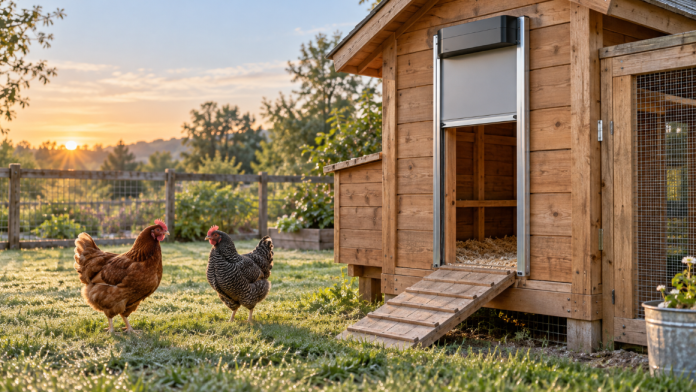
Wooden chicken coop with an automatic door and chickens outside

Short answer: The Omlet Smart Automatic Chicken Coop Door is our best overall and best smart pick because it combines documented Wi-Fi/app and panel controls, timer and daylight modes, an optional mains adapter, a published weather range, and visible replacement parts. The RUN-CHICKEN T50 is the better compact app-controlled value when Bluetooth—not remote Wi-Fi—is enough. Choose the ADOR1 when you prefer a larger galvanized-steel door with simple daylight operation instead of an app or timer.

No one door is best for every coop. Opening size, mounting space, power, weather exposure, control method, and the exact way a door reacts to an obstruction matter more than a long feature list.

Affiliate disclosure: As an Amazon Associate, we earn from qualifying purchases. Coop Automation Lab may also earn a commission if you buy through other affiliate links on this page, at no extra cost to you. Our recommendations are based on research, specifications, owner feedback, and practical backyard chicken-keeping needs.

Our quick picks

  • Best overall and best smart door: Omlet Smart Automatic Chicken Coop Door
  • Best compact app-controlled value: RUN-CHICKEN T50
  • Best simple heavy-duty daylight door: ADOR1 Automatic Chicken Coop Door
  • Conditional swing-door/off-grid alternative: Standard Pullet-Shut Solar/Battery/Photo kit
  • Conditional retrofit opener and door kit: ChickenGuard Pro Door Kit
  • Conditional premium serviceable system: Coop Tender Electric CT-003A
  • Best budget: No winner—the products researched at the low-cost end did not clear our documentation, support, safety, and availability checks

These recommendations are research-based. Coop Automation Lab has not personally tested these doors. We reviewed current manufacturer product records, specifications, support and warranty information, and the limited owner feedback that was accessible. Manufacturer claims are labeled, and unresolved details remain unresolved rather than being filled in with assumptions.

Automatic chicken coop door comparison

Product Action Best fit Installation Opening Power Controls Published obstruction behavior Warranty Evidence confidence Main caution
Omlet Smart View details Best overall; smart control Complete side-sliding door; wooden coop or compatible mounting kit About 9.5 × 14.3 in; orientation needs final diagram check 4 AA; optional 12V adapter Wi-Fi/app, panel, timer, light Manufacturer says it stops on obstruction; reopen/retry not stated 2 years High Not enough published detail to call the stop behavior anti-crush or chick-safe
RUN-CHICKEN T50 Red T50 on Amazon Compact app-controlled value Compact all-in-one door 8 × 10 in 2 AA Bluetooth app, calculated sunrise/sunset, timer, manual app mode Manufacturer says stop, reverse, then retry on resistance Current duration not verified Medium-high Bluetooth is not Wi-Fi; small opening and no numerical weather range
ADOR1 View details Simple heavy-duty daylight operation Complete vertical steel door 13 H × 10.5 W in Included 6V lantern battery; optional 120V Infrared daylight sensor; physical button; no timer Manufacturer says it stops on obstruction; reopen/retry not stated 1 year High product / low monetization Daylight-only automation and unresolved obstruction sequence
Pullet-Shut combination kit View details Swing-door and off-grid setups Complete outward-swinging door; left/right versions 11 W × 15 H in Rechargeable 6V plus 3W solar panel Photo sensor; other variants differ Not published 1 year Medium Safety response is unresolved; requires swing clearance
ChickenGuard Pro Door Kit View details Existing-coop retrofit with a self-locking door Opener plus door kit Not recovered AA; optional DC/solar Timer, light, manual, DualSafe Manufacturer mentions anti-crush detection/bar; exact sequence not stated 3 years advertised Medium U.S. stock, dimensions, weather unit, and regional terms need verification
Coop Tender Electric CT-003A View details Premium, repairable mains-oriented installation Framed complete door; about 18 lb 10 × 10 in AC under 1 W; optional backup/solar modules Dawn/dusk, schedule, manual; options available Not published 3 years for purchases on/after Aug. 24, 2025 Medium Heavy and mains-oriented; obstruction behavior unresolved

Dimensions describe the opening where stated, not necessarily the cutout or total room required. Measure the bird opening, wall space, framing, and moving-door clearance before choosing.

How we chose these doors

This guide favors products that can be identified precisely and supported with current documentation. A familiar brand name, a high marketplace rating, or the word “predator-proof” was not enough.

A fact in this guide comes directly from a current product, support, warranty, or manual record reviewed for this article. A manufacturer claim is a performance or durability statement we have not independently tested. Owner feedback is labeled and should not be read as a measured failure rate—especially when it comes from a brand-hosted review feed.

We excluded products when the current model, dimensions, safety behavior, support, or buying path was too unclear. This policy produces fewer picks, but it is more useful than filling a list with interchangeable marketplace doors.

1. Omlet Smart Automatic Chicken Coop Door — best overall and best smart

Best for: Keepers who want a well-documented complete door with Wi-Fi/app convenience, local controls, timer and daylight modes, and an established parts path.

The Smart model uses four AA batteries and also accepts an optional U.S. 12V adapter. It can be operated through the app or physical control panel and supports scheduled and daylight-sensor modes. The app can provide open/close notifications. Omlet lists the complete assembly at 19.25 × 16.5 × 2.25 inches. The aperture appears to be about 9.5 × 14.3 inches from the current diagram, but its orientation should be reconfirmed before publication and buyers should check the live diagram themselves.

Why it stands out

The optional mains adapter is also meaningful. Omlet says it improves app responsiveness, so buyers who care about responsive connected control should consider safe wired power where available. Battery operation remains useful for a coop without an outlet.

Omlet also publishes more environmental information than many competitors. The company claims the door was tested from -4°F to 150°F and that the controller is IPX6. Those are manufacturer claims, not Coop Automation Lab test results, and they do not mean ice, bedding, or frozen debris cannot obstruct the moving panel.

Safety and security limits

Omlet says its safety sensors stop the door if something is in the way. The available product text did not define whether the door reopens, how far it moves, whether it retries, the force threshold, or its behavior at low battery. We therefore describe the action only as stopping. It should not be promoted as proven safe for chicks, children, or pets.

Drawbacks

  • The complete assembly needs more wall space than the aperture alone suggests.
  • The approximate aperture orientation still needs a final diagram check.
  • The company does not publish the full obstruction sequence in the material reviewed.
  • AA battery life is claimed at up to six months, but actual life can vary with temperature, settings, connectivity, and use.
  • Buyers wanting built-in solar should use our separate solar guide rather than assume an unofficial panel is supported.

Choose it if: You want the best-supported mix of smart and local controls and can accommodate the assembly.

Avoid it if: Your opening or wall space does not fit, you need a fully documented reverse/retry sequence, or you specifically require integrated solar.

Check the current Omlet Smart model, fit diagram, power options, and warranty on the manufacturer's website.

2. RUN-CHICKEN T50 — best compact app-controlled value

Best for: Keepers who want a small all-in-one aluminum door with app setup and do not need internet-anywhere Wi-Fi control.

The researched T50 platform includes a compact 9.5 × 14-inch assembly that creates an 8 × 10-inch opening and runs on two AA batteries. It supports calculated sunrise/sunset, timer, and manual modes through its app. Color and version matter when purchasing: Amazon ASIN B08LP1MYJJ is verified specifically as the red T50 variant, not every T50 color or version.

The essential distinction is connectivity: the T50 is Bluetooth/app-controlled, not Wi-Fi. Bluetooth is useful for standing near the coop to configure or operate the door. It is not evidence that you can check or control the door from anywhere over the internet.

Why it stands out

RUN-CHICKEN also publishes a more specific obstruction sequence than most brands in this comparison. The manufacturer says anti-pinch behavior stops and reverses the door when it meets resistance, then attempts closure again. This wording is useful, but it remains a manufacturer claim. It does not establish force, clearance, chick safety, or the number and timing of retries.

Drawbacks

No numerical temperature range or IP rating was found in the current research. The manufacturer claims typical battery life of about one year, but cold, settings, battery quality, and resistance in the doorway can alter real service life. A clear current warranty duration was also not recovered, so older warranty claims should not be repeated.

Choose it if: You want compact dimensions, Bluetooth app configuration, multiple scheduling modes, and a manufacturer-described stop/reverse/retry response.

Avoid it if: You need true Wi-Fi remote access, a larger opening, a numerical cold-weather rating, or a verified current warranty term before purchase.

Check the RUN-CHICKEN T50 range on the manufacturer's website, or view the red T50 variant on Amazon. The Amazon link is only for the red T50 listing; verify that its controls and specifications match your needs before buying.

3. ADOR1 — best simple heavy-duty daylight door

Best for: Keepers who prefer steel construction, a larger opening, straightforward daylight automation, and visible replacement parts over app features.

ADOR1 takes a different approach from compact app-controlled doors. It uses 20-gauge galvanized steel, a positive-drive sprocket mechanism, an included 6V lantern battery, and an infrared daylight sensor. Its opening is 13 inches high by 10.5 inches wide. An optional 120V kit is available.

There is no timer. The automatic schedule follows sensed daylight, with a physical button for manual open/close control. That simplicity is either the main benefit or the main limitation depending on how much scheduling control you want.

Why it stands out

ADOR1's manufacturer publishes a -20°F to 115°F operating range and says the door travels in under 12 seconds. It describes the positive-drive sprocket and bottom guard as features that resist prying. Those weather and predator-resistance statements are manufacturer claims, but the steel construction, physical guard, and drive design are observable product characteristics.

Serviceability is a major strength. Motors, boards, frames, panels, sprockets, batteries, and other parts were visible from the manufacturer, along with direct phone/text support. The warranty is one year for manufacturing defects. Manufacturer-hosted feedback praised long service and direct support, but the perfect hosted rating distribution is not a balanced independent sample.

Safety and drawbacks

ADOR1 says obstruction detection stops the door. The reviewed material did not state reopen distance, force, retries, or limitations for small birds. Do not convert “stops” into a reverse or anti-crush promise.

Other drawbacks are clear:

  • There is no timer or app.
  • The one-year warranty is shorter than some alternatives.
  • A lantern battery is another maintenance item.
  • Steel and a strong drive do not overcome ice, bedding, poor alignment, or a weak wall.
  • No public affiliate program or verified current Amazon listing was found.

Choose it if: You want a larger steel door, daylight operation, a physical control button, and a good visible parts path.

Avoid it if: You need timer scheduling, app status, Wi-Fi control, or a fully specified obstruction response.

Check current ADOR1 dimensions, power options, daylight controls, and warranty on the manufacturer's website.

Conditional alternatives worth investigating

The following doors solve useful setup problems, but they carry unresolved details that prevent us from giving them the same confidence as the three main picks.

Standard Pullet-Shut — conditional swing-door/off-grid alternative

Best for: A keeper who has room for an outward-swinging door and wants a U.S.-made solar/battery/photo-sensor combination.

The Standard Pullet-Shut combination kit includes a rechargeable 6V battery, 3W solar panel, and photo sensor. The door opening is 11 inches wide by 15 inches high, and left- and right-swing versions are available. Other Pullet-Shut power and programmable variants exist, so buyers must confirm the exact kit rather than blending specifications across versions.

The critical unresolved issue is obstruction response: no published stop, anti-pinch, force-limit, reverse, or retry behavior was found. That does not prove the door lacks protection; it means the behavior must be clarified before making a safety-led recommendation. The product carries a one-year warranty and advertised lifetime phone support.

Conditional verdict: Consider it for a suitable off-grid swing-door installation only after obtaining the manual or written obstruction behavior and confirming exact dimensions and swing clearance.

Check the exact Standard Pullet-Shut Solar/Battery/Photo kit, swing direction, and current support terms on the manufacturer's website.

ChickenGuard Pro Door Kit — conditional retrofit opener and self-locking door

Best for: A keeper who wants an opener-plus-door retrofit with timer and light controls and can first confirm the current U.S. product.

For the Pro Door Kit, the reviewed material supports AA power with optional DC or solar choices, plus timer, light, manual, and DualSafe wording. ChickenGuard advertises a three-year warranty. The manufacturer also describes anti-crush detection and an added bar that minimizes pressure before stopping, but the exact reverse/retry sequence and force were not found.

Several basics remain unresolved for a U.S. buyer:

  • The U.S. site could not be accessed during research, while the U.K. product page appeared purchasable.
  • Current U.S. stock, shipping, regional model name, and warranty jurisdiction were not verified.
  • Exact current opening and overall dimensions were not recovered.
  • “Weatherproof down to -20°” appears in current material, but the temperature unit was omitted.
  • A U.K. affiliate portal exists, but U.S. eligibility and commercial terms are unknown.

Conditional verdict: ChickenGuard remains a promising retrofit choice, but publication as a direct U.S. buy should wait for dimensions, regional availability, weather units, and warranty/affiliate confirmation.

Review the ChickenGuard Pro Door Kit and its current documentation on the manufacturer's website. U.S. availability and regional terms remain unresolved.

Coop Tender Electric CT-003A — conditional premium serviceable system

Best for: A substantial, mains-oriented installation where serviceability and a heavy framed assembly matter more than compact size.

The Coop Tender Electric CT-003A has a 10 × 10-inch opening, weighs about 18 pounds, and uses solid outdoor-rated lumber, a treated finish, and a steel Acme worm drive. It uses AC power at under one watt. Backup, solar, Wi-Fi, temperature, and predator-motion modules or bundles are sold separately.

Controls include dawn/dusk, schedule, settings, and manual override. The manufacturer claims an operating range of -20°F to +185°F. Purchases on or after August 24, 2025, have a three-year limited warranty; older purchases retain the prior one-year term. Parts and post-warranty repair are advertised.

Most importantly, published obstruction behavior was not found. A worm drive's physical characteristics do not allow us to infer how the controller responds when a bird or object is in the doorway. Do not speculate about force or anti-crush behavior.

Conditional verdict: Consider the CT-003A when you want a premium, serviceable system and can support its weight and power needs—but only after getting a clear obstruction-response answer.

Check the current Coop Tender CT-003A configuration, mounting requirements, options, and warranty on the manufacturer's website.

Why we did not name a best-budget door

A budget label should still clear minimum standards for product identity, dimensions, obstruction behavior, weather documentation, warranty/support, and current availability. The low-cost products in the research set did not clear that threshold.

Chickcozy JY020, FarmLite, VEVOR, Sun Energise, and generic white-label Amazon doors are therefore not ranked here. The specific reasons vary: missing dimensions or safety behavior, uncertain manufacturer identity, unclear support, incomplete manuals, mixed model reviews, or unresolved current Amazon buyability.

This is not a claim that every excluded door is bad. It is a statement about evidence. A low purchase price is not good value if replacement parts, warranty service, or safe closure behavior cannot be verified. We will not invent a budget winner just to create a retailer link.

How to choose the right automatic coop door

Start with the opening, not the feature list

An 8 × 10-inch opening may suit one flock but be uncomfortable for a very large bird. A 13 × 10.5-inch or 11 × 15-inch opening gives more room, yet the larger mechanism may not fit the wall. Measure the biggest bird and watch how it uses the current opening.

Also inspect the wall. Thin, rotten, warped, or flexible siding can undermine a strong door. Reinforce the mounting area where needed and follow the manufacturer's instructions.

Complete door or opener/door kit?

A complete all-in-one product can simplify matching the motor and door. Omlet Smart, RUN-CHICKEN T50, ADOR1, Pullet-Shut, and Coop Tender are complete systems in distinct formats.

An opener/door kit such as ChickenGuard Pro may make sense when you want a more conventional retrofit arrangement. Confirm whether a listing includes the controller only, a door kit, tracks, and the necessary mounting hardware. Product names from the same brand can look similar while bundle contents differ.

Choose power for the location

Disposable batteries are easy for a remote coop and continue through a household outage. They need routine checks, and cold can reduce useful performance. Omlet Smart, RUN-CHICKEN T50, and ChickenGuard use AA configurations; ADOR1 uses a 6V lantern battery.

Mains power can reduce battery-changing chores when the coop has safely installed electricity. It also creates dependence on the supply unless a backup is included. Outdoor cords, connections, and outlets must be appropriate for the location; improvised extension-cord arrangements are not a reliability plan.

Solar-assisted power is useful off grid only when the panel receives adequate sun and the battery stores enough reserve. Shade, snow, short winter days, and added Wi-Fi power draw can matter. Our best solar automatic chicken coop doors guide covers those tradeoffs in depth.

Whatever the source, ask what happens at low power. Does the product warn you? Does it finish closing, remain open, stop mid-travel, or lose connectivity? Those answers were not fully published for every pick.

Timer, daylight sensor, Bluetooth, or Wi-Fi?

A timer creates predictable clock-based operation but needs seasonal adjustments.

A daylight sensor follows changing daylight without resetting a clock. Placement and sensitivity matter: shade, storms, snow reflection, and artificial light may influence when the door moves.

A Bluetooth app simplifies nearby setup and manual control. It does not provide internet-anywhere status. This is the correct description for the RUN-CHICKEN T50.

A Wi-Fi/app door can provide remote status, notifications, or control when its network and power remain available. Omlet Smart is the verified Wi-Fi/app pick in this guide. Connectivity adds convenience, but it also adds setup and troubleshooting dependencies.

If control method is your main decision, read timer vs light sensor automatic coop doors before choosing.

Read obstruction language literally

In this comparison, Omlet and ADOR1 are documented to stop on obstruction, but their available descriptions did not establish a reverse/retry sequence. RUN-CHICKEN specifically claims stop, reverse, and retry. ChickenGuard mentions anti-crush detection/bar but lacks the exact sequence in the material recovered. Pullet-Shut and Coop Tender did not publish obstruction behavior in the sources reviewed.

None of those facts prove a product is safe for chicks. Watch early cycles and do not rely on automation around very small birds unless the manufacturer explicitly supports that use.

Evaluate physical security as a complete system

Manufacturers commonly claim motor locks, self-locking drives, guards, steel construction, or predator resistance. These are useful design details, not guarantees.

Install into sound framing, use appropriate fasteners, close pry gaps, and inspect the whole coop. Never describe an automatic door as absolutely predator-proof.

Weather ratings do not prevent jams

A controller's temperature or ingress rating says little about a mound of wet bedding frozen against the threshold. Rain runoff, frost, dust, feathers, cobwebs, mud, and warped timber can all affect movement.

If freezing weather is your priority, use our guide to the best automatic chicken coop doors for cold weather for more detailed winter criteria. Even with a published low-temperature claim, mount the door away from runoff and drifting snow and keep the travel path clear.

Warranty, parts, and support are reliability features

Omlet and ADOR1 had visible parts catalogs in this research. Coop Tender advertised parts and post-warranty repair. That does not establish failure rates, but it makes the repair path easier to understand.

Installation and reliability checklist

Before purchase and again before relying on the door unattended:

  • Measure the usable opening, required cutout, full assembly, and moving clearance.
  • Verify the wall is flat, sound, and strong enough for the product's weight.
  • Clear tracks, thresholds, swing paths, and lower door edges of bedding, manure, feathers, mud, ice, and snow.
  • Test several complete open/close cycles while watching from both sides.
  • Safely test the documented obstruction response; do not use a bird, hand, child, or pet as the test object.
  • Learn the manual open/close procedure before an emergency.
  • Watch the flock at closing time until sensor/timer settings reliably match its routine.
  • Retest after storms, freezes, bedding changes, cleaning, battery changes, firmware/app updates, or construction movement.

Common limitations and failure modes

Weak or depleted power

A battery-life estimate is not a promise for your climate and settings. Cold, poor batteries, resistance, frequent manual cycles, and connectivity can reduce life. Solar adds panel exposure and battery health to the equation. Check power proactively rather than waiting for a failed cycle.

Bedding, manure, ice, or debris

The last inch of travel matters. Loose bedding may look harmless until it packs into a track or threshold. Ice can form from roof runoff even when air temperature is within the product's claimed range. Clean and retest after severe weather or coop clean-outs.

Light-sensor timing mismatch

Trees, deep shade, storms, artificial lighting, and sensor position can produce timing that differs from the flock's routine. Adjust only according to the manual and watch whether every bird enters before closing.

Timer drift or seasonal mismatch

Clock schedules do not follow daylight unless designed to calculate sunrise/sunset. Review schedules as seasons change and after daylight-saving or power events where relevant.

Connectivity and app dependence

Bluetooth range is local. Wi-Fi depends on signal, power, app service, and correct pairing. Automation may still run locally, but that behavior must be verified for the exact model. A lost app connection should never be your first discovery that the physical door is obstructed.

Misalignment or wall movement

Timber coops can shift or warp. A frame installed slightly out of square may add resistance, and seasonal moisture can change alignment. Recheck mounting and travel if motor sound or closing time changes.

Unclear support for marketplace models

A listing can disappear while the hardware remains in service. Before selecting a marketplace door, identify the actual manufacturer, current manual, warranty contact, replacement battery or motor, and seller relationship. This is why generic white-label models were excluded.

For a door already malfunctioning, work through what to check when an automatic chicken coop door is not closing rather than repeatedly forcing the motor.

Frequently asked questions

Are automatic chicken coop doors worth it?

They can be worthwhile when they consistently handle a chore you might otherwise miss at dawn or dusk. They are most useful when the opening fits, power is dependable, controls suit the flock, and you are willing to inspect the system. They reduce routine effort; they do not replace flock checks or coop security.

What is the best automatic chicken coop door?

For the broadest documented mix of controls, weather information, power choice, and parts, our research-based best overall pick is Omlet Smart. RUN-CHICKEN T50 is the compact Bluetooth/app value pick, and ADOR1 is the simple heavy-duty daylight pick. The best choice for your coop can change with opening size, wall space, power, and control preferences.

Is a timer or light sensor better?

A timer is predictable but needs seasonal attention. A light sensor follows natural daylight but depends on placement and sensitivity. Products that offer both provide flexibility, while a simple daylight-only product may be easier to operate. Neither control type confirms that every bird is inside.

Can predators open an automatic coop door?

Some designs use motor locks, self-locking drives, guards, or materials intended to resist lifting or prying. Whether a predator can get in also depends on installation, wall strength, gaps, other latches, and full closure. No product in this guide should be treated as a guaranteed predator-proof barrier.

Are automatic doors safe for chickens?

Safety behavior varies. “Stops,” “reverses,” and “retries” are different actions, and published descriptions often omit force and timing. Do not assume a door is safe for chicks or small birds. Follow the manual, observe early cycles, keep the opening clear, and ask the manufacturer for precise behavior when it is not documented.

Will an automatic coop door work in winter?

It may, if the product, power source, installation, and maintenance suit the conditions. Published low-temperature claims do not prevent snow or ice from blocking movement, and cold can affect batteries. Protect the unit from runoff, keep the path clear, and have a manual backup.

How long do automatic coop door batteries last?

It depends on battery type, temperature, motor load, connectivity, settings, and cycle frequency. Omlet claims up to six months on four AA batteries, RUN-CHICKEN claims typical life around one year on two AA batteries, and Pullet-Shut makes a much longer claim for its 6V system. These are manufacturer claims, not guaranteed field results. Monitor the actual installation.

Can I fit one to an existing coop?

Usually, if the wall is suitable and there is enough room for the cutout, assembly, and moving door. Check whether the product is a complete door, an opener, or a kit. Omlet sells separate mounting solutions for certain mesh runs and older Eglu configurations; do not assume one mounting method fits every structure.

Do I need Wi-Fi?

No. Timer and daylight automation can work without it, and the RUN-CHICKEN T50 uses Bluetooth for nearby app control. Wi-Fi is useful for remote status and notifications when supported, but it adds network dependence. Choose it for a real need, not because “smart” automatically means more reliable.

What should happen if the door meets a chicken?

There is no universal response. It may stop, reverse, retry, or behave in another documented way. Get the exact sequence for the model. Omlet and ADOR1 are described as stopping; RUN-CHICKEN says the T50 stops, reverses, and retries; other products here still need clarification. Never test with a live bird.

Final picks by buyer profile

  • Most backyard keepers wanting smart control: Start with Omlet Smart, then verify the aperture, wall footprint, Wi-Fi setup, and exact obstruction behavior.
  • Compact opening and nearby app setup: Choose RUN-CHICKEN T50 if an 8 × 10-inch opening works and Bluetooth is enough.
  • Simple, larger, steel daylight door: Choose ADOR1 if you do not need a timer or app and accept its stop-only published obstruction description.
  • Outward-swinging off-grid setup: Investigate Pullet-Shut only after confirming swing clearance and obstruction behavior.
  • Retrofit opener-plus-door kit: Investigate ChickenGuard Pro Door Kit after current U.S. model, availability, dimensions, warranty, and temperature units are verified.
  • Heavy premium mains-oriented system: Investigate Coop Tender CT-003A after confirming mounting, power, options, and obstruction response.
  • Solar-first buyer: Use the dedicated solar automatic coop door guide rather than treating a solar add-on as interchangeable across brands.
  • Shaded coop: Prefer a maintained battery or safely wired setup unless a solar panel can be placed in reliable sun.
  • Unreliable Wi-Fi: Use daylight/timer controls or the T50’s local Bluetooth app; verify that any smart model retains usable local operation.
  • Lowest-price buyer: There is no supported best-budget recommendation yet. Verify documentation and support instead of buying on price or review count alone.

The best automatic chicken coop door is the one that fits the birds and wall, closes consistently in the real environment, has controls you understand, and can be opened manually when automation fails. Measure first, read the current manual, and watch the first week of cycles before trusting any new installation overnight.

Best Solar Automatic Chicken Coop Doors for Off-Grid and Backyard Coops

0
Wooden chicken coop with a solar automatic door and hens outside

Coop Automation Lab may earn a commission if you buy through links on this page, at no extra cost to you. We only recommend products based on research, specifications, owner feedback, and practical backyard chicken-keeping needs. As an Amazon Associate, we earn from qualifying purchases.

Solar sounds like the obvious answer when your coop is far from an outlet—but the panel is only half the story. The real question is whether the door has enough battery reserve, reliable controls, and a closure design you trust after several cloudy days.

This guide compares the best solar automatic chicken coop doors we found from manufacturer documentation, product specs, and available owner feedback. We have not personally tested these doors, so the recommendations below are research-based and intentionally conservative.

We also avoid ranking products highly when the buying path, warranty support, or core solar specifications are unclear. That is why some familiar brands appear as cautious mentions instead of top recommendations.

Quick picks

  • Best heavy-duty premium solar system: Coop Tender Solar Chicken Coop Door
  • Best simple all-in-one solar door: Chickcozy Solar Automatic Chicken Coop Door
  • Best WiFi/app solar option: Smart Chicken Door Solar / WiFi Solar, with charging cautions
  • Established brand to watch: ChickenGuard Solar models, but only after confirming current U.S. availability
  • Budget Amazon wildcard only: Sun Energise ASIN B0HCVDG64J, only after checking current Amazon availability and reviews
  • Not ranked: VEVOR, because we did not verify a current solar-specific U.S. product page

Important note: Do not treat any solar coop door as a “set it and forget it forever” product. Shade, snow on the panel, short winter days, weak batteries, and installation mistakes can all affect reliability.

Solar coop door comparison

Product Action Best for Solar setup Battery/power details Controls Door/closure notes Weather/winter notes Warranty/support notes Main caution Source confidence
Coop Tender Solar Chicken Coop Door View details Premium, heavy-duty installations Complete solar bundle with panel 12V 5Ah SLA battery; 15W panel; door motor is 12V DC Integrated controller; manufacturer says dawn/dusk or scheduled operation; optional WiFi module 10" x 10" standard opening; solid lumber, brushed aluminum faceplate, 5/8" steel Acme threaded screw/worm drive Listed operating temperature: -20°F to +185°F Page/schema state made in USA and 3-year warranty Expensive; larger cutout/installation; independent owner feedback still needed High for specs; medium for owner feedback
Chickcozy Solar Automatic Chicken Coop Door Check Amazon Simple solar setup without wiring Built-in/included solar-powered door Built-in 3200mAh rechargeable battery; manufacturer says one day of charge can last a week Smart light sensor opens at dawn/closes at dusk Dual-motor design; self-locking after close; exact door material not verified Manufacturer claims weatherproof use in rain, snow, and extreme temperatures; exact low-temp rating not verified Brand page states 30-day free returns and 2-year warranty Panel wattage, material, independent reviews, and winter performance need verification Medium-high for basic product facts; medium for performance
Smart Chicken Door Solar / WiFi Solar View details Solar door with app/WiFi control Solar door and WiFi solar bundle available 12V power connection; solar kit includes solar box/panel; exact panel wattage and battery capacity not verified Timer, Sunrise/Sunset, Manual; WiFi version supports app control, scheduling, status, alerts Manufacturer describes poly/aluminum construction and actuator rod closing system No verified low-temperature rating; brand-hosted reviews include winter charging concerns Product pages list 1-year warranty and free shipping Mixed brand-hosted solar kit feedback, including charging/support complaints Medium for features; lower for solar reliability
ChickenGuard Pro Solar / Pro Kit Solar / All-in-One Solar PRO Solar on Amazon Established opener ecosystem Solar versions verified on UK official pages Rechargeable battery-backed solar power referenced; exact battery capacity not verified Timer, light sensor, manual, DualSafe; All-in-One Solar includes Auto-Stop and Winter Mode Pro Kit includes opener + door kit; material not verified from captured text Prior research found weatherproof down to -20°; U.S. availability not verified Product comparison text lists 3-year warranty U.S. site was blocked during research; U.S. availability/pricing need manual check Medium; good ecosystem, unresolved U.S. purchase path
Sun Energise B0HCVDG64J Not currently recommended Possible budget Amazon option Amazon screenshot shows included solar panel Battery capacity/chemistry not verified; seller claims rechargeable batteries Seller claims timer, light sensor, remote, 4 modes Screenshot lists ABS material; dimensions 11.5" L x 3" W x 13.5" H; weight 4.41 lb Weather rating not verified Warranty/support not verified Amazon screenshot showed shipping/offer limitation; review themes not sampled Low-medium; listing-level only

How we evaluated these solar coop doors

We prioritized solar doors with clear documentation over vague marketplace listings. The main criteria were:

  1. 1. Solar setup clarity: Is solar built in, included as a bundle, sold as an accessory, or merely implied?
  2. 2. Battery reserve: Does the brand disclose battery capacity, backup time, panel size, or charging limitations?
  3. 3. Controls: Does the door use a light sensor, timer, manual override, app/WiFi control, or a combination?
  4. 4. Door mechanics: Does the closure design reduce pry points, lock after closing, or use a screw/worm drive?
  5. 5. Winter and cloudy-weather suitability: Are low-temperature ratings, panel size, battery reserve, or owner reports available?
  6. 6. Installation requirements: Are cutout size, panel mounting, cable routing, and controller placement clear?
  7. 7. Support and warranty: Outdoor electronics need support if batteries, sensors, panels, or motors fail.
  8. 8. Owner feedback: Brand-hosted reviews can be useful, but they are not the same as independent long-term review sampling.

1. Coop Tender Solar Chicken Coop Door — best premium heavy-duty solar system

Best for: Backyard owners who want the most clearly documented solar setup and are comfortable paying more for a heavier-duty system.

Coop Tender has the strongest verified specification set in the current research. The standard solar bundle includes the door/frame, integrated controller, solar panel, 12V 5Ah SLA solar battery, weatherproof temperature module, IEC AC power cord, and mounting screws. The solar accessory documentation also verifies a 15W panel with Vmp 17.5V, Voc 21.7V, and dimensions of 14" W x 13" H x 1" thick.

The standard door has a 10" x 10" opening and requires a 13.5" W x 26.5" H coop cutout. Coop Tender says this standard opening is suitable for standard backyard breeds; larger breeds may need a larger model.

Solar and power setup

This is the clearest solar power package in the lineup. The 12V 5Ah SLA battery fits inside the controller compartment, and Coop Tender says the battery can run the door up to one week without being charged. The brand also notes that the WiFi module consumes an additional 40mA and says a second solar panel may be needed in areas receiving 4.4 kWh/m²/day or less.

That level of detail is useful because solar reliability depends on more than whether a panel is included. Shade, short winter days, snow cover, and WiFi power draw can all matter.

Controls and operation

The product documentation identifies an integrated controller and optional Internet WiFi module for remote control, monitoring, programming, and alerts via browser. Manufacturer copy says the door can open at dawn and close at dusk or use scheduled open/close times, but the exact control menu should still be confirmed from the manual before publication.

Door, installation, and predator-resistance notes

Coop Tender’s standard door uses indoor/outdoor-rated lumber treated with non-toxic Rain Guard sealer, a brushed aluminum metal faceplate, and a 5/8" solid steel Acme threaded screw drive/worm drive. The brand describes the worm drive as a predator-resistant mechanical system that locks automatically.

Treat any “predator-proof” language as a manufacturer claim, not a guarantee. The steel screw/worm drive and self-locking design are meaningful physical features, but no automatic door should be your only predator defense.

Weather and winter notes

The listed operating temperature is -20°F to +185°F. That is the strongest verified temperature range found among the main products. The bundle also includes a weatherproof temperature module.

Drawbacks

  • It is the premium-priced option in the current research.
  • Installation is more involved than a small all-in-one door.
  • Mounting hardware for the solar panel is not included.
  • Independent owner feedback still needs sampling before making stronger reliability claims.

Bottom line

Choose Coop Tender if you want the most clearly specified solar system and a heavier-duty mechanical design. It is not the cheapest or simplest option, but it has the strongest verified power, temperature, and construction details in this research set.

Check current Coop Tender solar bundle details and confirm the correct size for your flock before buying.

2. Chickcozy Solar Automatic Chicken Coop Door — best simple all-in-one solar door

Best for: Owners who want a simpler solar-powered door with light-sensor operation and less wiring complexity.

Chickcozy’s Solar Automatic Chicken Coop Door is positioned around simplicity. The official product page describes it as fully solar-powered, with no batteries or wiring required from the user, and lists a built-in 3200mAh rechargeable battery.

During research, the official product page appeared available and showed a brand-hosted aggregate review rating. The page banner also stated 30-day free returns and a 2-year warranty. Recheck current price and availability before publication.

Solar and power setup

Chickcozy says the door uses an “ETTF” solar panel and a built-in 3200mAh rechargeable battery. The manufacturer claims one day of charge can last for a week.

That is promising, but the exact solar panel wattage, battery chemistry, and long-term cloudy-weather performance were not independently verified. If your coop is shaded or you live somewhere with long cloudy winters, treat the “one week” claim as something to verify rather than assume.

Controls and operation

The verified control mode for this model is a smart light sensor that opens at dawn and closes at dusk. The research did not verify timer, app, or remote control for this specific Chickcozy solar model.

Light-sensor-only operation can be convenient, but it also means panel/controller placement and local light conditions matter. If you prefer precise scheduled opening and closing, compare this against a timer-based or app-connected option.

Door, installation, and predator-resistance notes

Chickcozy lists a dual-motor design and self-locking closure after the door closes. The brand also describes the door as predator-proof, with enhanced motor torque and resistance to pushing, pulling, or prying.

Those predator claims are manufacturer claims. The self-locking closure is useful, but you should still use hardware cloth, secure latches, and routine checks as part of a layered predator-protection setup.

The exact door material was not clearly verified from the captured product text, so that should be checked before publication.

Weather and winter notes

The manufacturer says the door is weatherproof and functions in rain, snow, and extreme temperatures, with a fully sealed motor and waterproof connectors. However, the exact low-temperature rating was not verified.

Owner feedback notes

Brand-hosted review themes captured during research included easy installation, sturdy design, no bottom track/gunk concern, cloudy-day recharging, and simple menu use. One reviewer reported a failure to open that was resolved by reset. These are brand-hosted review snippets, not independent review sampling.

Drawbacks

  • Solar panel wattage is not verified.
  • Battery chemistry is not verified.
  • Exact low-temperature rating is not verified.
  • Door material needs verification.
  • Independent owner review sampling is still needed.

Bottom line

Choose Chickcozy if you want a simple, lower-complexity solar coop door and are comfortable with light-sensor operation. It is the cleanest “simple solar” pick, but confirm material, weather limits, and recent owner feedback before relying on it in a harsh winter or shaded location.

Check Chickcozy Solar Door availability on Amazon

3. Smart Chicken Door Solar / WiFi Solar — best WiFi/app solar option, with winter charging caution

Best for: Owners who specifically want app/WiFi control on a solar automatic coop door.

Smart Chicken Door offers both a solar timer product and a WiFi solar product. During research, the product pages appeared available and referenced a 1-year warranty, free shipping, and Amish-made branding. Recheck current price and availability before publication.

Solar and power setup

The product pages describe a solar panel and solar battery box using a 12V battery and charge controller. However, the exact solar panel wattage, battery capacity, and battery type were not verified.

That missing information matters. WiFi features can increase power draw, and solar doors are only as reliable as their battery reserve and panel exposure.

Controls and operation

The standard solar version offers Timer, Sunrise/Sunset, and Manual modes. The WiFi solar version allows remote opening and closing, app scheduling, status monitoring, notifications, and alerts. The door panel also supports manual control.

This is the strongest app-control option in the current lineup, but the extra convenience comes with a bigger need to verify power reserve.

Door, installation, and predator-resistance notes

The manufacturer describes heavy-duty poly/aluminum construction, water resistance, an actuator rod closing system, and a safety mechanism that will not force the door closed onto an obstruction or chicken. It also describes the design as predator-proof or predator-resistant.

Treat those predator claims as manufacturer claims. The actuator and material choices may help, but they do not replace a secure coop and run.

Weather and winter notes

No verified low-temperature rating was found. This is the main reason Smart Chicken Door should be recommended with caution for cold or cloudy climates.

Brand-hosted solar kit reviews were mixed. Positive feedback mentioned easy setup, good performance, cloudy/rainy operation after initial full charging, and helpful replacement/troubleshooting in at least one case. Negative feedback included a 2025 Northeast winter reviewer who said the included panel/battery did not keep charged and required a deep-cycle 12V battery. Other brand-hosted reviews reported battery/solar charger problems, sparse documentation, and support non-response.

Drawbacks

  • Solar panel wattage and battery capacity are not verified.
  • No low-temperature rating was found.
  • Brand-hosted solar kit reviews include charging and support complaints.
  • Independent review sampling is still needed.

Bottom line

Choose Smart Chicken Door if app control is a priority and you are willing to verify the current solar kit specs before buying. For shaded coops, cold regions, or long cloudy stretches, plan for a backup charging strategy unless current documentation proves the system has enough reserve.

Check the current Smart Chicken Door solar kit revision, panel size, battery capacity, and support terms before buying.

4. ChickenGuard Solar models — established opener ecosystem, but verify U.S. availability first

Best for: Owners who like ChickenGuard’s established control ecosystem and can verify a current U.S. purchase route.

ChickenGuard’s UK official pages verify Pro Solar, Pro Kit Solar, and All-in-One Solar products. The Pro Solar and Pro Kit Solar pages were in stock in UK embedded commerce data during research, while visible All-in-One Solar variant data appeared out of stock.

Because the U.S. site was blocked during automated research, this should be treated as a conditional recommendation for U.S. readers until availability and pricing are manually confirmed.

Solar and power setup

The All-in-One Solar model is described as using a solar power kit backed by rechargeable batteries. Pro Solar and Pro Kit Solar descriptions list solar, batteries, and mains as power options. Exact battery chemistry and capacity were not verified.

Controls and operation

ChickenGuard’s solar models include timer, light sensor, manual, and DualSafe options. The All-in-One Solar also includes Auto-Stop anti-pinch and Winter Mode, which the brand says provides a motor power boost in snowy or icy conditions.

Door, installation, and predator-resistance notes

Pro Kit Solar implies an opener plus door kit, while Pro Solar may be opener-only. The captured research did not verify door material. Product copy includes predator-protection language, including self-locking door/predator-lift prevention language for Pro Kit Solar.

As with all automatic coop doors, treat predator-protection wording as a claim to evaluate, not a guarantee.

Weather and winter notes

Earlier research captured weatherproof-down-to–20° language, and All-in-One Solar includes Winter Mode. Before publication, manually confirm the exact temperature wording and whether it is °F or °C on the current relevant product page.

Drawbacks

  • U.S. availability and pricing are unresolved.
  • Door material was not verified from captured text.
  • Independent owner review sampling is incomplete.
  • Current warranty details should be verified from the relevant regional site.

Bottom line

ChickenGuard is worth watching because it has a mature control ecosystem and solar-specific models, but do not treat it as a primary U.S. recommendation until the U.S. purchase path, current warranty, and model availability are confirmed.

Check ChickenGuard PRO Solar availability on Amazon

Confirm current U.S. availability or reputable retailer availability before linking this as a recommended buy.

5. Sun Energise Solar Automatic Chicken Coop Door — budget Amazon wildcard, not a main pick yet

Best for: Readers looking for a lower-priced Amazon option, but only after manual review verification.

A user-provided Amazon screenshot identified the Sun Energise Automatic Chicken Coop Door Solar Powered listing, ASIN B0HCVDG64J, model SE-CD-S01. The screenshot showed a star rating, Amazon’s Choice badge, ABS material, dimensions of 11.5" L x 3" W x 13.5" H, weight of 4.41 lb, and included components such as one coop door, mounting bracket, remote control, and solar panel. Recheck current price, shipping, and reviews directly on Amazon before publication.

The listing title and visible seller claims referenced anti-pinch design, timer, light sensor, remote control range of 50–100m, four work modes, and rechargeable batteries.

Why it is not ranked as a main recommendation

The Amazon page and owner reviews were not accessible in a useful form during research. The screenshot also showed “no featured offers available / cannot be shipped to selected delivery location,” so availability may vary.

Before recommending this as a budget pick, verify:

  • current shipping and offer status
  • current price
  • warranty/support information
  • battery capacity and chemistry
  • weather rating
  • owner review themes around charging, jams, water damage, predator issues, remote reliability, and support

Bottom line

Sun Energise may become a useful budget option, but it should remain a wildcard until current Amazon reviews and shipping availability are checked manually.

What about VEVOR and other no-name solar coop doors?

VEVOR was not ranked because current research did not verify a clear U.S. solar-specific product page with enough specs to compare fairly.

No-name marketplace solar doors can be tempting because they often cost less. The risk is that solar panel specs, battery capacity, weather sealing, warranty support, and replacement parts may be unclear. If you buy one, verify the product page carefully and read recent negative reviews before trusting it while you are away.

Solar vs battery vs plug-in automatic coop doors

A solar automatic chicken coop door is most useful when your coop is far from a safe outlet or you do not want to run wiring. But solar is not automatically more reliable than battery-only or plug-in power.

  • Solar doors are convenient for remote coops, but depend on panel exposure, battery health, and weather.
  • Battery-only doors can be simpler if you are comfortable checking or replacing batteries on a schedule.
  • Plug-in doors may be more stable where safe power is already available, but outdoor wiring must be done properly.

For a broader comparison of solar, battery, and plug-in models, see our best automatic chicken coop doors buyer’s guide.

What matters most in a solar chicken coop door

If cold-weather reliability is your main concern, compare this guide with our best automatic chicken coop doors for cold weather recommendations before choosing a solar model.

Battery reserve matters more than the word “solar”

A solar panel only helps if the battery can store enough power for nights, cloudy days, and short winter daylight. Look for disclosed battery capacity, panel wattage, backup runtime, and whether the system has a wall-charging option.

Panel placement can make or break reliability

Even a good solar door can struggle if the panel is shaded by the coop roof, trees, fencing, snow, or a north-facing wall. Mount the panel where it gets the most direct sun available, and make sure the cable route is protected from pecking, rodents, and weather.

Light sensor vs timer vs app control

For a deeper control setup comparison, see our guide to timer vs light sensor automatic coop doors.

Light sensors are simple and can adjust naturally with changing daylight. Timers give more predictable schedules. App/WiFi control adds remote convenience, but it can increase power needs and introduces more electronics that must stay connected outdoors.

If you are deciding between control types, link readers to Timer vs Light Sensor Automatic Coop Door for a deeper comparison.

Door mechanics and lock design

Look beyond marketing terms like “predator-proof.” More meaningful features include self-locking closures, metal faceplates, reduced pry gaps, screw/worm-drive mechanisms, and sturdy frame materials. Even then, a door is only one part of predator protection.

Winter, shade, snow, and cloudy climates

Cold weather can reduce battery performance, and snow can cover the solar panel. Short winter days also reduce charging time. In cloudy or northern climates, prioritize larger battery reserve, clear panel specs, manual override, and backup charging.

Installation requirements and cutout size

Check the required coop opening before buying. A compact plastic door may be easy to mount, while a larger framed system may require a more careful cutout. Also confirm whether solar panel mounting hardware is included.

Warranty and support matter for outdoor electronics

Solar doors combine a motor, controller, sensor, battery, and panel. If one part fails, you need support. A clear warranty, replacement parts, and responsive customer service are more important here than on a basic manual door.

Are solar automatic coop doors predator proof?

No automatic chicken coop door should be treated as predator-proof in the absolute sense.

Some manufacturers use the term “predator-proof,” and some designs may be harder for raccoons, foxes, or other predators to manipulate. Features that may help include self-locking doors, metal faceplates, worm-drive mechanisms, and fewer pry points.

But predator protection should be layered:

  • use hardware cloth rather than chicken wire where predators can reach
  • secure latches and access panels
  • protect the run and pop door area
  • close gaps around the frame
  • inspect the door regularly
  • confirm the door actually closed each evening, especially after installation or bad weather

A solar door can reduce human error, but it should not be the only thing standing between predators and your flock.

Who should buy a solar automatic coop door?

A solar coop door is a good fit if:

  • your coop is far from an outlet
  • the coop or nearby mounting location gets reliable sun
  • you want automation without running power
  • you are willing to monitor battery and charging performance
  • you have a backup plan for long cloudy stretches or winter storms

A solar door may be a poor fit if:

  • your coop is heavily shaded
  • snow often covers the best panel location
  • you get long winter stretches with limited sun
  • you do not want to check battery status or troubleshoot electronics
  • you need maximum reliability and already have safe plug-in power available

FAQ

Do solar chicken coop doors work in winter?

Some can, but winter performance depends on battery reserve, panel exposure, temperature rating, snow cover, and daylight hours. Coop Tender lists an operating temperature of -20°F to +185°F. ChickenGuard’s solar ecosystem includes Winter Mode on the All-in-One Solar, but U.S. availability and exact current specs need verification. For any solar door, plan to clear snow from the panel and monitor battery performance in cold weather.

Do solar coop doors work on cloudy days?

They can, if the battery has enough reserve and the panel still receives usable light. Manufacturer claims vary. Coop Tender says its 12V 5Ah battery can run the door up to one week without being charged. Chickcozy claims one day of charge can last for a week. Treat these as conditions to verify for your location, especially in shaded or cloudy climates.

How long does the battery last on a solar chicken coop door?

It depends on the battery capacity, panel size, number of open/close cycles, temperature, and any extra power draw from WiFi. Coop Tender discloses a 12V 5Ah SLA battery. Chickcozy discloses a built-in 3200mAh rechargeable battery. Smart Chicken Door’s exact solar battery capacity was not verified in the captured research.

Can raccoons open an automatic chicken coop door?

A determined raccoon can exploit weak latches, gaps, loose tracks, or flimsy materials. Look for self-locking closures, sturdy frames, metal reinforcement, and reduced pry points. Still, do not rely on the door alone. Use hardware cloth, secure latches, and routine inspections.

Is a solar coop door better than a battery door?

Solar is better when you have good sun exposure and do not want to run wiring or frequently replace/charge batteries. Battery-only can be simpler and may work better in shaded coops if you can maintain a charging schedule. Plug-in power may be best where safe electrical access already exists.

Where should I mount the solar panel?

Mount it where it receives the most direct sun available, away from shade, snow buildup, and pecking damage. Also protect the cable route and check whether the product includes mounting hardware. Coop Tender’s solar panel page, for example, states mounting hardware is not included.

Do I still need to check the door every day?

Yes. Automatic doors reduce chores, but they do not remove responsibility. Check that the door opens and closes correctly, especially after installation, storms, freezing weather, power issues, or battery changes. If your door ever fails to close, use our internal troubleshooting guide: Automatic Chicken Coop Door Not Closing.

Final recommendation

For the strongest verified specifications, Coop Tender Solar Chicken Coop Door is the best premium/heavy-duty pick. It has the clearest battery, solar panel, temperature, and construction details in the research.

For a simpler all-in-one solar setup, Chickcozy Solar Automatic Chicken Coop Door is the best fit, especially if you want light-sensor operation without extra wiring.

For app control, Smart Chicken Door Solar / WiFi Solar is the most relevant option, but only with clear caution around solar charging reserve, winter/cloudy performance, and mixed brand-hosted solar kit feedback.

For an established opener ecosystem, ChickenGuard Solar models are worth considering after confirming U.S. availability and current regional warranty details.

For budget Amazon options like Sun Energise, verify current shipping, warranty, support, and recent owner reviews before recommending it as a true “best budget” pick.

Timer vs Light Sensor Automatic Chicken Coop Door: Which Is Better?

0
Automatic chicken coop door at dusk with timer and light sensor controls
Timer and light sensor settings affect when an automatic chicken coop door opens and closes.

Timer vs Light Sensor Automatic Chicken Coop Door: Which Is Better?

Affiliate disclosure: Coop Automation Lab may earn a commission if you buy through links on this page, at no extra cost to you. We only recommend products based on research, specifications, owner feedback, and practical backyard chicken-keeping needs.

An automatic chicken coop door can open and close in several ways. The most common options are a fixed timer, a light sensor that reacts to dawn and dusk, manual control, app control, or a combined mode that uses more than one rule.

For most backyard flocks, the safest setup is not simply “timer” or “light sensor.” It is usually a door that lets you combine a predictable schedule with daylight-based behavior, then adjust it for your flock, predators, and season.

Here is the short version:

  • Timer mode is better when you want predictable open and close times, have artificial lights near the coop, or need to avoid the door reacting to cloudy weather, shade, headlights, or security lights.
  • Light sensor mode is better when you want the door to follow natural sunrise and sunset without constant seasonal adjustments.
  • Combined timer + light sensor mode is usually safest when available, because it can prevent the door from opening too early or closing too late while still adapting to changing daylight.
  • Manual or app control is useful as a backup, but it should not be the only protection if you regularly forget, travel, lose signal, or have predators nearby.

The right answer depends on how your chickens behave at dusk, how exposed your coop is, how much predator pressure you have, and whether your door lets you set delays, limits, or separate open and close rules.

What timer mode does

A timer-based automatic coop door opens and closes at times you choose. For example, you might set it to open at 7:00 a.m. and close at 8:30 p.m. The door follows its clock rather than measuring the amount of daylight.

That makes timer mode simple and predictable. You know exactly when the door is supposed to move. If the door closes late, opens too early, or does not move, you can compare the result against the schedule.

What light sensor mode does

A light sensor mode uses ambient light to decide when to open and close. Instead of following a fixed clock, the door reacts when the area around the sensor becomes bright enough in the morning or dark enough in the evening.

The big advantage is seasonal adjustment. In theory, a light sensor follows the changing sunrise and sunset naturally. You do not have to keep moving the timer earlier or later as the days get longer or shorter.

That can be especially useful for owners who do not want to revisit door settings every few weeks. It also matches the way chickens usually behave: they tend to leave the roost after daylight and return to the coop as light fades.

Quick comparison: timer vs light sensor

Control mode Best for Main advantage Main drawback
Timer Predictable routines, artificial lights, high control Opens/closes at exact times Needs seasonal adjustment and clock checks
Light sensor Natural daylight changes, hands-off seasonal use Follows sunrise/sunset more automatically Can be affected by shade, clouds, coop lights, and sensor placement
Combined timer + sensor Most backyard flocks with predator concerns Adds guardrails around daylight behavior Requires more setup and a door that supports it
Manual/app control Overrides, checks, unusual days Owner can intervene Not reliable if you forget, lose signal, or are away

When a timer is better

Timer mode is often the better choice when the environment around the coop has confusing light conditions.

Use timer mode if artificial lights are nearby

Light sensors can be confused by non-sunlight sources. A porch light, motion light, barn light, Christmas lights, driveway light, or coop interior light may make the sensor think it is still daytime.

That matters most at closing time. If the sensor reads too much light after dusk, the door may stay open longer than intended. In an area with raccoons, foxes, coyotes, neighborhood dogs, or other predators, an open pop door after dark is a serious risk.

Use timer mode if the coop sits in heavy shade

A shaded sensor may think dusk arrives earlier than it really does. Trees, fences, roof overhangs, dense shrubs, nearby buildings, or a north-facing wall can all change what the sensor reads.

In the morning, deep shade may delay opening. In the evening, it may close the door before the whole flock has gone inside.

Use timer mode if predators arrive before full dark

Some predators do not wait until black night. Raccoons, foxes, coyotes, dogs, and other threats may start moving at dusk or even before sunset. If you regularly see predators near the coop in the evening, you may not want a door that stays open until the sensor decides it is dark enough.

A timer lets you set a firmer closing target. The tradeoff is that you must choose a time that still gives your chickens a fair chance to get inside.

Use timer mode if you want a consistent winter routine

Winter days are short. In some locations, chickens may be heading in very early. If you work late or cannot check the coop at dusk, a predictable timer can be reassuring.

Use timer mode if your flock has predictable habits

Some flocks are consistent. They come out at the same time, return early, and rarely linger outside after dusk. If that describes your birds, timer mode can be simple and reliable.

When a light sensor is better

Light sensor mode is often better when you want the door to follow natural daylight without frequent manual adjustments.

Use light sensor mode if seasonal daylight changes are your main headache

Day length changes a lot between summer and winter. A fixed schedule that feels perfect in one season can become annoying or unsafe in another.

Light sensor mode handles that better because it reacts to actual dawn and dusk at the coop. That can reduce the need to update settings every few weeks.

Use light sensor mode if there are no confusing lights nearby

A light sensor works best when it has a clean read on outdoor daylight. A coop in an open area, away from porch lights and vehicle headlights, is a better fit than a coop tucked under a lit deck or beside a motion-sensor floodlight.

Use light sensor mode if your chickens follow dusk reliably

Chickens naturally move toward the coop as evening light fades. If your flock consistently goes inside before the sensor triggers closing, light mode may fit their behavior well.

Use light sensor mode if daylight saving time causes mistakes

Daylight saving time does not change sunrise or sunset from a chicken’s point of view, but it does change human clocks. Timer doors can end up an hour off if the clock is not updated or if the app handles time changes in a way you did not expect.

A light sensor avoids some of that because it is watching light instead of the clock. You should still inspect the door after time changes, but sensor mode can reduce schedule confusion.

Why combined timer + light sensor is often safest

If your door supports combined rules, this is usually the most useful setup. Different brands use different names for this behavior, and not all doors support the same combinations. Before buying, check the current product manual for the exact model.

A combined setup might work in a few ways:

  • open by light sensor, but not before a set time
  • close by light sensor, but not after a set time
  • open by timer and close by sensor
  • open by sensor and close by timer
  • close only when both a darkness threshold and a time condition are met
  • use a timer delay after the sensor detects dusk

The safest logic depends on your site, but the idea is the same: one control method acts as the main trigger, and the other acts as a guardrail.

Example: sensor close with a latest-close limit

A light sensor may be convenient at dusk, but you may not want the door waiting too late on a cloudy-to-clear evening, near a porch light, or under snow glare.

A latest-close limit can help: the door follows dusk normally, but if it has not closed by a certain time, the timer takes over.

Example: sensor open with an earliest-open limit

Some owners do not want the door opening at the first hint of dawn. Predators may still be active, and chickens may not need access to the run that early.

An earliest-open limit can help: the door waits for daylight, but it will not open before a set time.

Example: timer close with a daylight check

A fixed close time is predictable, but it can close too early if the season changes or if you set it aggressively. A daylight check or delay can help prevent the door from closing while there is still enough natural light that birds are likely outside.

Practical tradeoffs owners should think through

Choosing the mode is not just a settings question. It is a flock-management question.

Seasonal daylight changes

Timer mode requires more seasonal attention. Light sensor mode adapts better. Combined mode is usually best if it gives you both adaptation and limits.

Cloudy weather and storms

A heavy storm can make the coop area darker than usual. Depending on the sensor threshold and delay, a light-based door may behave differently on stormy days than on clear days.

Winter short days

Winter makes every weakness more obvious. Batteries may struggle, tracks can freeze, bedding can build up, and birds may spend more time near the coop. For winter buying criteria, see Best Automatic Chicken Coop Doors for Cold Weather.

A timer can give a predictable winter close. A sensor can adapt as sunset shifts. Combined rules can add a latest-close backup.

Predators at dusk

Closing too late is the main danger of an automatic door. Chickens may go in around dusk, but predators may also become active around dusk.

If you have heavy predator pressure, prioritize a secure door design, reliable closing, manual override, and a conservative evening setting. Do not rely on a door mode alone to make a weak coop safe.

Chickens going in late

Some chickens linger outside. Young birds, new birds, low-ranking hens, or birds distracted by feed and bugs may not enter with the rest of the flock.

Before locking in a close setting, observe the last bird for several evenings. If one hen is always late, look for a cause: bullying at the pop door, poor ramp traction, not enough roost space, a dark coop interior, or treats being offered outside too late.

Do not solve a behavior problem by leaving the door open for hours after dark unless the run is predator-resistant enough for that risk.

Artificial lights

Artificial light is one of the strongest arguments against sensor-only closing. A sensor may read a nearby light as daylight. Interior coop lights can also affect behavior by encouraging chickens to stay active later than they otherwise would.

If you use coop lighting for winter egg production or evening chores, timer mode or combined mode may be safer than sensor-only mode. Keep the door sensor away from direct artificial light when possible.

Daylight saving time

Daylight saving time is mostly a timer problem. If the door’s clock shifts unexpectedly, or if it does not shift when you expect it to, the schedule can be wrong by an hour.

After every time change, confirm:

  • current clock time
  • AM/PM setting
  • open time
  • close time
  • active mode
  • app time zone, if applicable

If the door behaves strangely after a schedule change, start with the checks in Automatic Chicken Coop Door Not Closing.

Reliability and owner convenience

A simple timer is easy to understand. A sensor is more automatic through the seasons. An app can be convenient if it works reliably where your coop is located. Manual control is essential as a backup.

But more features do not always mean fewer problems. A complicated setup can fail because of poor Wi-Fi, a dead phone battery, unclear menus, firmware behavior, or settings that were not saved.

What about app control and manual mode?

App control can be useful if it makes schedules easier to change or shows door status, battery level, or open/closed state. Treat it as convenience, not the only safety layer. Coops are often at the edge of Wi-Fi range, phones die, notifications get missed, and apps change.

Manual mode is important for chores, training birds, cleaning the coop, and emergency override. Every automatic door should have a way to open or close it manually according to the manufacturer instructions.

Product-specific examples, cautiously

Popular automatic coop door brands often advertise some mix of timer, light sensor, manual, app, or combined control. Examples commonly discussed by backyard owners include Omlet, ChickenGuard, Run-Chicken, ADOR, and similar brands.

Do not buy based on the brand name alone. Verify the exact current model manual before relying on a feature. Check whether it supports timer mode, light sensor mode, separate open/close rules, dawn or dusk delays, earliest-open or latest-close limits, manual override, low-battery warnings, and retained settings after battery loss.

Features can vary by model and generation, so product-specific claims should be checked against current manufacturer documentation before publishing or purchasing.

Recommended setup by situation

Best default for most owners: combined mode

If available, use a light sensor with timer guardrails. A practical setup might be:

  • open after daylight is detected, but not before your chosen earliest time
  • close at dusk or after a short dusk delay, but no later than your chosen latest time
  • test the setting by watching the flock for several evenings

This balances natural chicken behavior with predator safety.

Best for coops near lights: timer mode

If porch lights, floodlights, vehicle headlights, or coop lights hit the sensor, use timer mode or relocate/shield the sensor according to the manual.

Set the close time based on when the last chicken reliably enters, not when the first chicken roosts.

Best for changing seasons with low light interference: sensor mode

If the coop has a clean outdoor light reading and low predator pressure at early dusk, light sensor mode can be convenient. Use delay settings if the door supports them, and check the door after storms, snow, and seasonal changes.

Best for high predator pressure: conservative combined setup

If predators are common, do not leave closing to chance. Use a secure door, strong coop construction, and a closing rule that does not drift late. Combined mode with a latest-close limit is usually preferable if your door supports it.

Best for unreliable flock behavior: observe first, then set

If chickens often stay out late, the answer is not automatically to delay closing forever. Watch why they are late. Improve ramp access, reduce bullying, adjust feed timing, make the coop interior inviting, and avoid training birds to wait outside for evening treats.

Then choose a closing mode that matches the corrected routine.

Buying checklist: control features to look for

When comparing automatic chicken coop doors, prioritize control features that make the door predictable and recoverable:

  • timer and light sensor options
  • separate open and close rules
  • dusk/dawn delay settings
  • earliest-open and latest-close limits
  • manual open/close control at the coop
  • clear display or app status
  • low-battery warning
  • clear behavior after battery change or power loss
  • manufacturer instructions for sensor placement

For many owners, the ability to combine modes is worth prioritizing over a door that only offers a basic timer or a basic sensor. To compare those controls alongside power, door design, and installation fit, see our best automatic chicken coop doors buyer’s guide.

Final recommendation

If you want the simplest answer: choose an automatic chicken coop door that supports both timer and light sensor control, then use the timer as a safety limit around the light sensor when possible.

Use timer mode when artificial lights, heavy shade, predator schedules, or your own routine make exact timing more reliable. Use light sensor mode when natural daylight changes are the bigger issue and the sensor has a clean, consistent view of outdoor light.

Whichever mode you choose, do not install it once and forget it. Watch the first several open and close cycles. Recheck after battery changes, daylight saving time changes, storms, snow, Wi-Fi problems, flock changes, and winter weather.

An automatic coop door is a convenience tool, but at dusk it is also part of your predator protection. The best setting is the one that reliably closes after your chickens are inside and before the coop becomes an easy target.

Automatic Chicken Coop Door Not Closing: Causes and Fixes

0
Automatic chicken coop door partly open on a backyard chicken coop
A stuck automatic chicken coop door can create predator and flock-safety risks if it does not close after dark.

Automatic Chicken Coop Door Not Closing: Causes and Fixes

An automatic chicken coop door that will not close is more than an inconvenience. If the door stays open after dark, predators may have a direct path into the coop. If it closes partway and jams, chickens can be left outside, trapped in the doorway, or exposed to cold weather.

Start with safety, then troubleshoot the door.

If this is happening at night, secure the flock and coop first. Manually close the pop door if you can, block the opening with a temporary predator-resistant panel, or move the birds to a secure space until morning. Do not spend twenty minutes testing sensors while the coop is open after dark.

This guide covers the most common reasons an automatic chicken coop door does not close, including blocked tracks, weak batteries, timer and light sensor problems, ice, wiring issues, and motor faults. The advice is intentionally general. For model-specific resets, calibration steps, error codes, or replacement parts, use the manufacturer manual for your exact door.

Quick checklist: what to check first

If your automatic coop door is stuck open or only closes partway, work through these in order:

  1. Secure the coop manually if predators, darkness, or bad weather are a concern.
  2. Look for a physical blockage in the rails, track, doorway, cord, or lower edge.
  3. Check whether a chicken is blocking the door or refusing to go inside.
  4. Replace or recharge the batteries if the door is battery-powered.
  5. Confirm the door is in automatic mode, not manual, setup, hold-open, or calibration mode.
  6. Check timer settings, especially after daylight saving time, power loss, or battery changes.
  7. Inspect the light sensor for dirt, shade, coop lights, porch lights, or flashlight interference.
  8. Look for ice, swelling wood, mud, or bedding buildup around the door opening.
  9. Run a manual open/close cycle and listen for grinding, slipping, clicking, or motor strain.
  10. Check the manual before resetting, forcing the door, lubricating parts, or replacing components.

If the door closes normally by manual button but not automatically, the issue is probably settings, timer, light sensor, app schedule, or power behavior. If it will not close even manually, suspect a jam, low power, cable/track problem, motor fault, or damaged door panel.

1. The track or doorway is blocked

This is the most common and most fixable cause. Automatic coop doors do not need a large obstruction to fail. A small clump of bedding, frozen mud, feather, screw head, warped wood edge, or pine shaving buildup can be enough to stop a lightweight sliding panel.

Check for:

  • bedding packed into the lower track
  • dust and feathers in side rails
  • mud around the threshold
  • screws protruding into the door path
  • a misaligned door frame
  • a warped wooden mounting surface
  • a cord, latch, feeder, or ramp interfering with the door
  • a chicken sitting in the doorway at dusk

Clean the track and threshold, then run the door manually through a full open-and-close cycle. Watch the door from the side. It should move freely without scraping, tilting, binding, or catching near the bottom.

Avoid forcing the motor repeatedly against a jam. That can drain batteries and may damage gears, strings, panels, or the control unit depending on the design.

2. The batteries are weak

Weak batteries can cause confusing symptoms. The door may open in the morning but fail to close at night. It may move partway, stop, beep, flash an error, or act normally when tested once but fail under load.

Battery performance can also drop in cold weather. A door that worked all summer may become unreliable during freezing nights, especially if batteries are old or the door has to push against ice, dirt, or a sticky track.

Try this:

  • replace disposable batteries with fresh batteries of the type recommended by the manufacturer
  • recharge removable rechargeable batteries fully, if your model uses them
  • check battery orientation and clean contacts
  • inspect for corrosion in the battery compartment
  • confirm the battery cover is seated properly and protected from moisture
  • reset the low-battery warning only if the manual says to do so

Use the battery type recommended by the door manufacturer. Some devices do not behave well with the lower voltage profile of certain rechargeable AA batteries unless the manufacturer specifically supports them.

For winter-specific buying and setup notes, see our related guide: Best Automatic Chicken Coop Doors for Cold Weather.

3. The door is in the wrong mode

Many automatic coop doors have multiple modes: timer, light sensor, manual, app control, calibration, setup, vacation mode, open-hold, or mixed timer-plus-light behavior. If the door is not closing automatically, confirm it is actually set to close automatically.

This often happens after:

  • installing the door for the first time
  • changing batteries
  • testing the door during the day
  • adjusting the close time
  • switching between timer and light sensor modes
  • using an app or remote control
  • updating settings and not saving them

Look for a display icon, app status, indicator light, or menu setting that confirms the active mode. If your door has separate open and close settings, check both. Some doors allow timer opening but light-sensor closing, or the reverse.

4. Timer settings are wrong

A timer-based door only closes when its internal clock and close schedule tell it to. If the time is wrong, the door may close too late, too early, or not during the window you expect.

Common timer problems include:

  • the clock reset after batteries died
  • AM/PM was set incorrectly
  • daylight saving time changed
  • the close time was accidentally disabled
  • the app schedule did not sync
  • the time zone is wrong in the app
  • a weekday/weekend schedule is different
  • the door was left in manual mode after testing

Do not assume the timer is correct because it worked last month. Check the current time in the control unit or app, then confirm the programmed close time.

A practical close time is usually after the flock has gone in, but not so late that the coop sits open deep into the evening. Chickens often enter near dusk, but habits vary by season, breed, weather, and coop lighting.

5. The light sensor is confused

Light-sensor doors close based on light level, not human clock time. That can work well, but sensors can be fooled by installation location and artificial light.

The door may not close if the sensor is exposed to:

  • porch lights
  • floodlights
  • coop interior lights
  • streetlights
  • vehicle headlights
  • security lights
  • a flashlight during evening checks
  • reflected light from snow or pale surfaces

The door may also behave strangely if the sensor is:

  • covered in dirt, dust, cobwebs, or frost
  • mounted in deep shade
  • pointed toward a bright window or artificial light
  • blocked by a roof overhang or hardware cloth
  • receiving inconsistent light compared with the actual outdoor dusk level

Clean the sensor gently and check the manual for sensitivity settings or delay settings. Some light-sensor doors wait a set amount of time after dusk before closing, which helps late chickens get inside. Others allow adjustment so the door closes at a darker or brighter threshold.

If this becomes a recurring issue, a timer mode or timer-plus-light setup may be more predictable. We plan to cover this more directly in Automatic Coop Door Light Sensor Problems.

6. Ice, snow, or frozen bedding is stopping the door

Winter problems deserve special attention. Even a door designed for outdoor use can struggle if the moving parts are blocked by ice or frozen debris.

Check the lower edge, side rails, and area outside the coop for:

  • snow piled against the door
  • frozen bedding at the threshold
  • ice in the track
  • frozen mud around the ramp
  • frost on the door panel
  • water dripping from the roof and refreezing
  • a door panel frozen to the frame

Clear the obstruction without bending the door panel or forcing the motor. If water is dripping onto the door, fix the source of the moisture if possible. A small roof overhang, better drainage, or a cleaner threshold may prevent repeated freezing.

Be careful with lubricants. Some can collect dust, gum up in cold weather, damage plastic, or conflict with manufacturer guidance. Check the manual before spraying anything into a track or motor housing.

7. The door is misaligned

Automatic doors need smooth travel. If the frame is crooked, the mounting surface has shifted, or the coop wall swells with moisture, the door may bind near the top or bottom.

Signs of alignment trouble:

  • the door scrapes on one side
  • the panel tilts as it moves
  • it closes partway and stops at the same spot
  • it works when loosened but not when fully mounted
  • screws have shifted or pulled from the coop wall
  • the door frame is no longer square

This is common on wooden coops because wood expands, contracts, warps, and settles. Check that the rails are parallel and the door opening is square. If needed, loosen the mounting screws slightly, realign the frame, and retighten according to the manufacturer instructions.

8. Safety or obstruction detection is stopping the close cycle

Some automatic coop doors include obstruction detection, anti-crush behavior, load sensing, reversing, alarms, or retry cycles. These features vary by model, so do not assume every door behaves the same way.

If your door starts to close, stops, reverses, or retries, it may be detecting resistance from:

  • a chicken in the doorway
  • packed bedding
  • a sticky rail
  • ice
  • a bent panel
  • a ramp pressing against the door
  • mounting screws or hardware in the door path

Treat repeated safety stops as a clue, not an annoyance to bypass. Find out what the door is hitting. Do not disable safety features unless the manufacturer specifically instructs you to for a diagnostic step, and only when birds are away from the opening.

9. The motor, cable, gear, or panel may be damaged

If the door has power, settings are correct, and nothing is blocking it, the problem may be mechanical or electrical.

Possible signs include:

  • clicking without movement
  • grinding noises
  • a motor that runs but the panel does not move
  • a frayed lifting cord
  • a door panel off its track
  • stripped gears
  • cracked plastic parts
  • water inside the control box
  • repeated error lights after reset

At this point, use the manual for your exact model. Look for troubleshooting tables, error-code meanings, warranty instructions, replacement parts, and support contact information. If the door is still under warranty, contact the manufacturer before opening sealed electronics or modifying parts.

10. Chickens are not going inside before the door closes

Sometimes the door is closing correctly, but the flock is not cooperating. Young birds, newly moved hens, nervous birds, or chickens adjusting to a new coop may linger outside after the door schedule starts.

If birds are being left outside:

  • train them to return to the coop at dusk before relying on automation
  • use a later close time temporarily
  • check whether the coop is too dark, crowded, hot, or poorly ventilated
  • make sure the ramp is easy to use
  • check for bullying at the doorway
  • avoid placing feed or treats where birds linger outside too long

Automation should support flock habits, not replace evening checks during training. For a new automatic door, monitor the flock for several evenings before trusting it unsupervised.

Troubleshooting by symptom

| Symptom | Likely causes | What to do first | |—|—|—| | Door stays fully open | Timer, light sensor, wrong mode, dead batteries, app schedule | Secure coop, check mode, replace batteries, verify schedule | | Door closes partway then stops | Track blockage, ice, misalignment, obstruction detection | Clean rails and threshold, inspect alignment, run manual cycle | | Motor runs but door does not move | Cable, gear, panel, or connector problem | Stop repeated cycling and check manual/support options | | Door works manually but not automatically | Timer, sensor, app, clock, mode setting | Confirm automatic mode, clock, close time, and sensor placement | | Door closes too late | Light sensor threshold, artificial light, timer setting | Remove light interference or adjust close schedule | | Door works in warm weather but not cold | Weak batteries, ice, frozen debris, stiff movement | Replace batteries, clear ice, improve drainage/weather shielding |

When to replace or upgrade the door

You may not need a new door. Many closing problems are caused by setup, batteries, or debris. But replacement may make sense if:

  • the motor or gear system is failing
  • the panel is bent or cracked
  • the door lacks a usable manual override
  • the control unit is unreliable after fresh batteries and reset
  • the door is poorly suited to your climate
  • predator risk is high and the current setup leaves gaps
  • manufacturer support or replacement parts are unavailable

Affiliate disclosure: Coop Automation Lab may earn a commission if you buy through links on this page, at no extra cost to you. We only recommend products based on research, specifications, owner feedback, and practical backyard chicken-keeping needs.

If repeated failures suggest replacement is the better option, compare current designs in our best automatic chicken coop doors buyer’s guide. If winter reliability is the main issue, also review our cold-weather automatic coop door guide.

Prevent the problem from happening again

A little routine maintenance prevents many closing failures.

Try this schedule:

  • Weekly: check the track, lower edge, ramp, and doorway for bedding, feathers, mud, and loose hardware.
  • Monthly: test manual open and close, check batteries or charge status, and confirm timer/app settings.
  • After storms: look for water intrusion, snow buildup, wind-blown debris, and shifted hardware.
  • Before winter: replace weak batteries, improve drainage, check roof drip lines, and make sure the door is not mounted where ice forms.
  • After time changes or power loss: confirm the clock and close schedule.

For the first week after installing or reprogramming a door, keep doing evening checks. Once you know your flock reliably goes in and the door closes correctly, automation becomes much more useful.

FAQ

Why is my automatic chicken coop door not closing at night?

The most common causes are a blocked track, weak batteries, incorrect timer settings, wrong operating mode, or light sensor interference from artificial lights. Secure the coop first, then check for physical obstructions before changing settings.

Why does my coop door close halfway and then open again?

It may be detecting resistance or hitting an obstruction. Check for bedding, ice, a crooked frame, a chicken in the doorway, or anything pressing against the panel. Do not bypass safety behavior without checking the manual.

Can cold weather stop an automatic coop door from closing?

Yes. Cold can weaken batteries, stiffen moving parts, and create ice or frozen bedding around the threshold. A door can be outdoor-rated and still fail if the track is physically blocked by ice or snow.

Should I use timer mode or light sensor mode?

Timer mode is predictable, but you may need seasonal adjustments. Light sensor mode follows dusk, but can be affected by artificial light, shade, dirt, or sensor placement. Some owners prefer a combined approach when their door supports it.

Is it safe to leave the coop door open overnight if the run is fenced?

Usually, that is risky unless the entire run is truly predator-resistant on all sides, including the roof and digging protection. Many predators exploit small gaps, weak latches, and hardware cloth mistakes. If the automatic door fails, secure the coop manually when possible.

Should I reset the door?

Only after checking for obvious obstructions, batteries, and settings. If you reset the unit, follow the manufacturer instructions for your exact model. Some doors require recalibration after reset so the controller knows the open and closed positions.

Bottom line

When an automatic chicken coop door will not close, assume predator safety comes first and troubleshooting comes second. Secure the flock, check for physical blockages, replace weak batteries, verify mode and schedule settings, then inspect the light sensor, weather exposure, and alignment.

If the door keeps failing after basic maintenance and manufacturer-guided troubleshooting, it may be time to repair or replace it. A reliable automatic door should close consistently, allow manual backup, and fit your coop’s climate and predator risk.

Best Automatic Chicken Coop Doors for Cold Weather: Winter Buyer’s Guide

0
Automatic chicken coop door on a snowy backyard coop in winter
Automatic chicken coop doors need reliable power, clean tracks, and careful setup in winter weather.

Best Automatic Chicken Coop Doors for Cold Weather: Winter Buyer’s Guide

Affiliate disclosure: Coop Automation Lab may earn a commission if you buy through links on this page, at no extra cost to you. We only recommend products based on research, specifications, owner feedback, and practical backyard chicken-keeping needs.

As an Amazon Associate, Coop Automation Lab earns from qualifying purchases.

An automatic chicken coop door is supposed to make chicken keeping easier. In winter, the wrong setup can do the opposite: batteries can weaken, tracks can collect ice or bedding, snow can block the opening, and early darkness can make reliable closing more important than ever.

This guide focuses on automatic coop doors that are worth considering for cold weather based on manufacturer information, available product documentation, and limited owner feedback found during research. Coop Automation Lab has not personally tested these doors, so cold-weather claims are handled carefully. When a brand says a door is rated for a certain temperature, designed for snow, or resistant to predators, treat that as a manufacturer claim unless stated otherwise.

Quick recommendations

Product Best for Power source Winter notes Key caution Check price
Omlet Smart Autodoor Polished all-around setup 4 AA batteries or optional mains power Manufacturer says tested from -4°F to 150°F; IPX6 casing; safety sensors No official solar support found in reviewed product info Check Price
Run-Chicken T50 Simple battery-powered door 2 AA batteries Designed for heat, cold, snow, and icing; Power Mode for ice/snow/debris No clear official operating temperature range found Check Price
Run-Chicken Eternal Integrated solar option Built-in solar cell + rechargeable batteries Same snow/icing language and Power Mode as T50 Winter solar reliability depends on sun, shade, snow, and location Learn More
ChickenGuard Pro / Pro Solar / All-in-One Flexible power choices AA batteries, mains, or solar depending model Weather resistance, anti-crush features, winter motor boost “Weatherproof down to -20°” needs unit confirmation before relying on it Learn More
ADOR1 Heavy-duty steel construction 6V lantern battery; optional 120V kit Manufacturer states -20°F to 115°F operating range Obstruction alerts are not the same as verified anti-crush/reverse behavior Learn More

How to choose an automatic coop door for winter

Cold-weather performance is not just about the lowest temperature printed on a product page. A coop door can be rated for cold air and still have problems if snow piles up, bedding freezes in the track, the battery weakens, or the door is mounted where wind-driven rain turns into ice.

Before choosing a door, look at these winter-specific criteria. For a broader comparison of control types, power options, and door designs, see our best automatic chicken coop doors buyer’s guide.

1. Power reliability in freezing weather

Batteries often perform worse in cold weather. A door that works for months in spring or fall may need more frequent battery checks during a long freeze.

Look for:

  • battery type and quantity
  • stated battery life
  • low-battery warning
  • manual override
  • mains/plug-in option
  • solar support, if useful for your coop
  • how the door behaves when power is low

If your coop is close to an outlet, a mains-compatible door can be more predictable than a battery-only setup. If your coop is remote, battery or solar may be more practical, but you should plan for winter checks.

2. Ice, snow, bedding, and track design

Most automatic chicken coop doors move vertically or slide in rails. Rails and lower edges can collect:

  • pine shavings
  • dust
  • frozen mud
  • frost
  • snow
  • ice
  • feathers

A stronger motor or “power boost” mode can help, but it does not make any door freeze-proof. Even a good winter door needs inspection and occasional cleaning.

3. Manual override

A winter coop door should have a backup plan. If the motor jams, the battery dies, or the sensor behaves unexpectedly, you need a way to open or close the door yourself.

Useful backup features include:

  • physical open/close button
  • control panel manual mode
  • app/manual mode
  • emergency hand release
  • low-battery warning
  • obstruction alert

Manual override matters most during bad weather because that is when a stuck-open door can create predator risk and a stuck-closed door can trap chickens inside or outside.

4. Closing safety

Some automatic doors include anti-crush or obstruction detection. Others detect load, stop, reverse, retry, or sound an alert. These features are not all identical.

Before relying on a safety claim, verify in the manual:

  • whether the door stops when blocked
  • whether it reverses
  • whether it retries closing
  • whether it alerts you
  • whether the feature is meant to protect birds or only protect the motor

Small birds, slow-moving hens, chicks, and cluttered doorways require extra caution. Do not assume a door is safe for chicks unless the manufacturer specifically supports that use.

5. Predator resistance, not “predator-proof” guarantees

Many brands describe locking doors, motor locks, strong materials, or predator-resistant designs. Those features can help, but predator protection also depends on installation.

A raccoon, fox, dog, mink, or other predator may exploit:

  • gaps around the frame
  • weak coop siding
  • loose screws
  • flexible mesh
  • reachable latches
  • a door that fails to close
  • snow or bedding that prevents full closure

For that reason, this guide avoids treating any automatic door as a guaranteed predator-proof solution. Think of the door as one part of a secure coop system.

Best automatic chicken coop doors for cold weather

1. Omlet Smart Autodoor

Best for: chicken keepers who want a polished, mainstream automatic door with documented manufacturer cold-temperature testing and safety sensors.

Check Omlet Smart Autodoor on Amazon

The Omlet Smart Autodoor is one of the better-known automatic coop doors for backyard flocks. It is often considered by owners who want a complete door and controller rather than a DIY opener.

Manufacturer claims and specs to note:

  • Tested by Omlet to work from -4°F to 150°F
  • Powered by 4 AA batteries, with claimed battery life up to 6 months
  • Optional mains power cable available
  • Waterproof casing to IPX6 standards
  • ABS construction with zinc gearing and steel fixings
  • Built-in safety sensors designed to stop the door if something is in the way
  • Light sensor, timer, and manual/app control depending on model/setup
  • Manual function through the control panel
  • Compatible with Omlet Eglu Cube, wooden coops, and mesh/enclosures with mounting kits

Why it may work well in winter:

The most useful winter detail is the stated temperature range. A specific low-temperature claim is more helpful than vague “weatherproof” wording. The optional mains power cable is also useful if you want to avoid relying only on batteries during cold snaps.

The IPX6 casing claim is relevant for storms and wind-driven moisture, though waterproof casing does not mean the moving door parts cannot be affected by snow, ice, or debris.

Owner feedback found during research:

Manufacturer-hosted reviews include positive comments about cold-weather operation and reliable light-based opening. Treat this as owner feedback hosted by the manufacturer, not independent testing by Coop Automation Lab.

Potential drawbacks:

  • No official solar support was found in the reviewed product information.
  • The warranty term should be verified before publishing.
  • The opening dimensions should be checked against official documentation before making breed-size recommendations.
  • The -4°F claim is a manufacturer test claim, not independent testing.

Best fit:

Choose the Omlet Smart Autodoor if you want a well-documented, polished door with battery and optional mains-power choices.

Avoid if:

You specifically need built-in solar charging, or your winter temperatures regularly fall far below Omlet’s stated low-temperature claim.

2. Run-Chicken T50

Best for: chicken keepers who want a compact, simple, battery-powered door with winter-oriented motor features.

Check Run-Chicken T50 on Amazon

The Run-Chicken T50 is a popular all-in-one automatic coop door with app-based controls and a compact aluminum design. For winter buyers, the important point is not just that it is battery-powered; it is that Run-Chicken specifically describes snow, ice, and debris handling features.

Manufacturer claims and specs to note:

  • Powered by 2 AA batteries
  • Manufacturer-stated battery life of approximately 1 year
  • Aluminum, powder-coated construction
  • Opening dimensions: 8 in × 10 in
  • Door dimensions: 9.5 in × 14 in
  • Full open height: 24 in
  • Weight: 1.8 lb
  • Designed to withstand heat, cold, snow, and icing conditions
  • “Power Mode” increases motor force to help overcome ice, snow, and debris buildup
  • Anti-pinch mode stops and reverses when resistance is detected, then attempts to close again
  • Motor-locking system intended to prevent predators from lifting the door
  • App-based sunrise/sunset, timer, manual control, and battery status
  • Warranty information from FAQ: 1 year, with registration within 30 days; coverage for defects in materials/workmanship, excluding misuse/damage/improper maintenance

Why it may work well in winter:

The Power Mode feature is directly relevant to winter because the brand says it helps with ice, snow, and debris buildup. The app battery status is also useful because cold-weather battery drain is one of the main winter worries.

The compact all-in-one format may appeal to people who want a straightforward installation without separate strings, pulleys, or a large external control box.

Owner feedback found during research:

No independent third-party owner feedback was gathered in the research packet. Final content should ideally review retailer reviews and chicken-keeping forum discussions for winter complaints before publishing.

Potential drawbacks:

  • No clear official operating temperature range was found during research.
  • “Designed to withstand snow and icing” is a manufacturer claim, not a guarantee the door will clear every frozen obstruction.
  • App/manual control is useful, but final copy should verify whether there is a physical emergency release or only app-based/manual operation.
  • Rails still require cleaning; ice, bedding, and debris can affect any sliding door.

Best fit:

Choose the Run-Chicken T50 if you want a battery-powered door with app controls and manufacturer-described winter assist features.

Avoid if:

You need a clearly published low-temperature operating range before buying, or you want an integrated solar charging system.

3. Run-Chicken Eternal Door

Best for: chicken keepers who like the Run-Chicken format but want integrated solar charging.

The Run-Chicken Eternal uses a similar style to the T50 but adds an integrated solar cell and rechargeable batteries. That makes it especially interesting for remote coops where running power is inconvenient.

Manufacturer claims and specs to note:

  • Integrated solar cell continuously recharges batteries
  • Rechargeable batteries included
  • Manufacturer says batteries can operate for more than 5 years before replacement under normal conditions
  • Aluminum, powder-coated construction
  • Opening dimensions: 8 in × 10 in
  • Door dimensions: 9.5 in × 14 in
  • Designed to withstand heat, cold, snow, and icing conditions
  • Power Mode helps overcome ice, snow, and debris buildup
  • Anti-pinch stop/reverse/retry behavior
  • Motor-locking system intended to prevent predators from lifting the door
  • App-based sunrise/sunset, timer, and manual app control

Why it may work well in winter:

Integrated solar charging is convenient if the coop gets reliable sun and the panel stays clear. For some backyard coops, that can reduce battery changes and make the door more self-sufficient.

The same Power Mode language as the T50 is relevant for snow, ice, and debris, though it should still be treated as a manufacturer claim.

Owner feedback found during research:

No independent owner feedback was gathered for this product in the research packet.

Potential drawbacks:

  • Solar performance in winter depends on short days, cloudy weather, shade, panel angle, snow cover, and latitude.
  • Battery replacement wording should be checked carefully on the current product page and manual, especially if you are relying on solar charging through winter.
  • We did not find independent evidence proving reliable solar charging through long northern winters, so treat winter solar performance as location-dependent.

Best fit:

Choose the Run-Chicken Eternal if your coop gets good winter sun and you want an integrated solar option without building your own charging setup.

Avoid if:

Your coop is shaded, snow often covers the panel, or you live in a cloudy northern area where winter solar reliability is uncertain.

4. ChickenGuard Pro, Pro Solar, and All-in-One models

Best for: chicken keepers who want flexible power choices and a brand that emphasizes winter motor assistance.

ChickenGuard has several automatic door/controller options, including Pro, Pro Solar, All-in-One, and All-in-One Solar variants. The exact best choice depends on whether you want a controller for an existing-style door or a more complete all-in-one setup.

Manufacturer claims and specs to note:

  • Pro page states “Weatherproof down to -20°,” but the unit was not clear in fetched research text
  • Pro can use AA batteries, DC mains supply, or solar panel depending on setup/accessories
  • All-in-One can use 4 AA batteries, compatible solar panel, or 9V DC mains power
  • IP44 water-resistant rating found in research
  • Winter mode / motor power boost to help with snowy or icy conditions
  • Anti-crush detection, including stop/reverse behavior and an anti-crush bar on current models
  • Light sensor, timer, and manual override features are part of the brand’s positioning and reviewed material
  • Manufacturer states 3-year warranty on auto coop doors
  • Site claims ASA plastic does not warp, bend, or jam; product-specific material should be verified before final copy

Why it may work well in winter:

ChickenGuard’s main winter advantage is flexibility. Battery, mains, and solar options let you choose a power setup based on your coop location. The winter motor boost is also relevant for snow and ice concerns.

The 3-year warranty claim is stronger than the 1-year warranties found for some other products, but it should still be verified on the exact model page before publishing.

Owner feedback found during research:

Manufacturer-hosted reviews included positive comments about easy installation/programming, good support, and one report of a solar panel keeping batteries charged during gloomy February weather. Research also found a negative owner comment about supplied batteries lasting only a few days. Treat these as owner feedback from manufacturer-hosted reviews, not independent verification.

Potential drawbacks:

  • The “-20°” temperature claim needs unit confirmation before final publication. Do not assume Fahrenheit or Celsius.
  • Current and legacy ChickenGuard model names/specs can be confusing. Avoid mixing Standard, Premium, Extreme, Pro, and All-in-One details unless each claim is tied to a specific current model.
  • IP44 means water-resistant, not waterproof or submersible.
  • Solar kit contents and battery requirements vary by model and package.

Best fit:

Choose ChickenGuard if you want flexible power choices, a longer stated warranty, and winter-specific motor assistance.

Avoid if:

You want the simplest possible product page/spec sheet or do not want to sort through multiple model and kit variations.

5. ADOR1 Automatic Chicken Coop Door

Best for: chicken keepers who prefer heavy-duty steel construction and a larger opening.

Learn more about the ADOR1 Automatic Chicken Door

ADOR1 is a different style from many plastic or lightweight aluminum all-in-one doors. It uses heavy galvanized steel and a sprocket-drive design, and the manufacturer provides a specific operating temperature range.

Manufacturer claims and specs to note:

  • Operating temperature: -20°F to 115°F
  • Powered by included 6V DC lantern battery
  • Optional 120V power kit available
  • Heavy-duty 20-gauge galvanized steel construction
  • Opening size: 13 in H × 10.5 in W
  • Door travel: under 12 seconds open to closed
  • Self-tests for battery voltage, load, and limit detection
  • Low battery, obstruction, and timeout alerts through buzzer/LED, with optional external alarm
  • Engaged sprocket drive, bottom guard rail, and steel construction described for predator resistance
  • Built-in pushbutton for manual open/close that returns to automatic mode
  • Infrared daylight sensing for sunrise/dusk operation
  • “Last Call” option re-opens for late-returning hens
  • Warranty: 1 year against manufacturing/material defects

Why it may work well in winter:

ADOR1 has one of the clearer manufacturer-published cold ranges in the research packet: -20°F to 115°F. The steel construction and larger opening may appeal to people who want something heavier-duty than lightweight plastic designs.

The alerts and diagnostics are also useful in winter because a low battery or obstruction can become a serious flock-safety issue after dark.

Owner feedback found during research:

No independent owner feedback was collected in this research run. Manufacturer claims about units in the field and years of production should be treated as manufacturer claims.

Potential drawbacks:

  • No solar support was found on the product page reviewed.
  • Obstruction alerts and timeout detection should not be described as anti-crush protection unless the manual confirms bird-protection behavior.
  • Heavy vertical mechanisms can still be affected by frozen debris, poor installation, or obstruction.

Best fit:

Choose ADOR1 if you want a larger opening, steel construction, a physical pushbutton override, and a clearly stated manufacturer temperature range.

Avoid if:

You want integrated solar charging or app-based control.

Solar vs battery vs plug-in power for winter

Power source matters more in winter than in mild weather.

Battery-powered doors

Battery doors are simple and work well for remote coops, but cold can reduce battery performance. If you use a battery door, check batteries before storms and cold snaps, and keep spares on hand.

Best for:

  • coops without power
  • simple installation
  • owners willing to check batteries regularly

Watch out for:

  • cold-related battery drain
  • weak batteries causing partial closes
  • no alert system
  • hard-to-access battery compartments during snow or ice

Solar-powered or solar-assisted doors

Solar can be helpful, but winter is the hardest season for it. Short days, clouds, shade, low sun angle, and snow-covered panels can all reduce charging.

Best for:

  • sunny coop locations
  • remote coops
  • owners who can mount the panel well
  • climates with reasonable winter sun

Watch out for:

  • shaded runs
  • panels mounted too flat
  • snow covering the panel
  • cloudy stretches
  • unclear backup battery behavior

Plug-in or mains-compatible doors

If your coop has safe access to power, a plug-in option can reduce battery worries. Outdoor electrical work must be done safely, with appropriate weather protection and code-aware installation.

Best for:

  • coops near the house or barn
  • very cold climates
  • owners who want fewer battery checks

Watch out for:

  • unsafe extension cord setups
  • power outages
  • water exposure
  • lack of battery backup

Winter installation tips

A good door can still fail if it is mounted badly. For winter, installation matters.

Use these practical steps:

  1. Mount the door where snow will not pile directly against it. Avoid low spots where drifting snow blocks the entrance.
  2. Keep the track and threshold clean. Bedding and dust can freeze into a hard obstruction.
  3. Protect the control box. Weather-resistant does not mean it should be blasted with roof runoff or wind-driven slush.
  4. Test the door before relying on it. Watch several open/close cycles in cold weather.
  5. Check settings after daylight changes. Timer and light-sensor schedules may need seasonal adjustment.
  6. Keep spare batteries available. Replace or recharge batteries before deep cold when possible.
  7. Verify manual override. Make sure you can open or close the door quickly if automation fails.
  8. Inspect predator gaps. A strong door does not help if there is a gap around the frame.
  9. Do not let ice build around the lower edge. The final inch of closure matters for predator resistance.
  10. Check late-returning chickens. Short winter days can change flock behavior.

Safety caveats before buying

Automatic coop doors are useful, but they are not a substitute for checking your flock.

Keep these cautions in mind:

  • No automatic door is guaranteed predator-proof.
  • Anti-crush and obstruction features vary by product.
  • Solar reliability is location-dependent.
  • Battery life claims may be shorter in real winter conditions.
  • Manufacturer weather ratings do not eliminate ice and snow maintenance.
  • Very young chicks may not be appropriate for automatic-door reliance unless the manufacturer clearly supports that use.
  • Always follow the manufacturer’s installation instructions.

FAQ

Do automatic chicken coop doors work in freezing weather?

Some do, but performance depends on the specific door, installation, batteries, snow exposure, and maintenance. Look for a published operating temperature range, manual override, low-battery alerts, and clear guidance on snow/ice maintenance.

Can an automatic chicken coop door freeze shut?

Yes. Any moving door can potentially freeze shut if ice forms around the track, threshold, or door edge. A stronger motor may help with light resistance, but it should not be treated as freeze-proof.

Is a solar automatic chicken coop door reliable in winter?

It can be, but only if the panel gets enough sunlight and stays clear of snow. Solar performance is worse in short, cloudy winter days, especially in shaded or northern locations. A backup battery or manual override is important.

Is a timer or light sensor better in winter?

Both can work. A timer is predictable but may need seasonal adjustment as daylight changes. A light sensor follows sunrise/sunset more naturally, but placement matters because shade, coop lights, storms, or snow reflection can affect readings.

Are automatic coop doors predator-proof?

Do not assume that. Some doors have locking designs or predator-resistant features, but actual protection depends on the entire coop: walls, frame, screws, gaps, mesh, and whether the door closes completely every night.

What is the best power source for cold climates?

If safe power is available, a mains-compatible door can reduce battery concerns. If power is not available, use a quality battery-powered or solar-assisted door, check batteries often, and verify winter behavior before relying on it fully.

How do I stop my automatic coop door from freezing?

Mount it away from direct snow buildup, keep tracks clean, prevent roof runoff from dripping onto the door, remove ice around the threshold, and test the door during cold snaps. Follow the manufacturer’s maintenance instructions.

Bottom line

For cold-weather coops, choose the door around your winter failure risk: power reliability, ice or snow around the opening, safe closing behavior, manual override, and secure installation. Manufacturer cold-weather claims are useful, but they are not a substitute for checking the door during freezing weather and keeping tracks or thresholds clear.